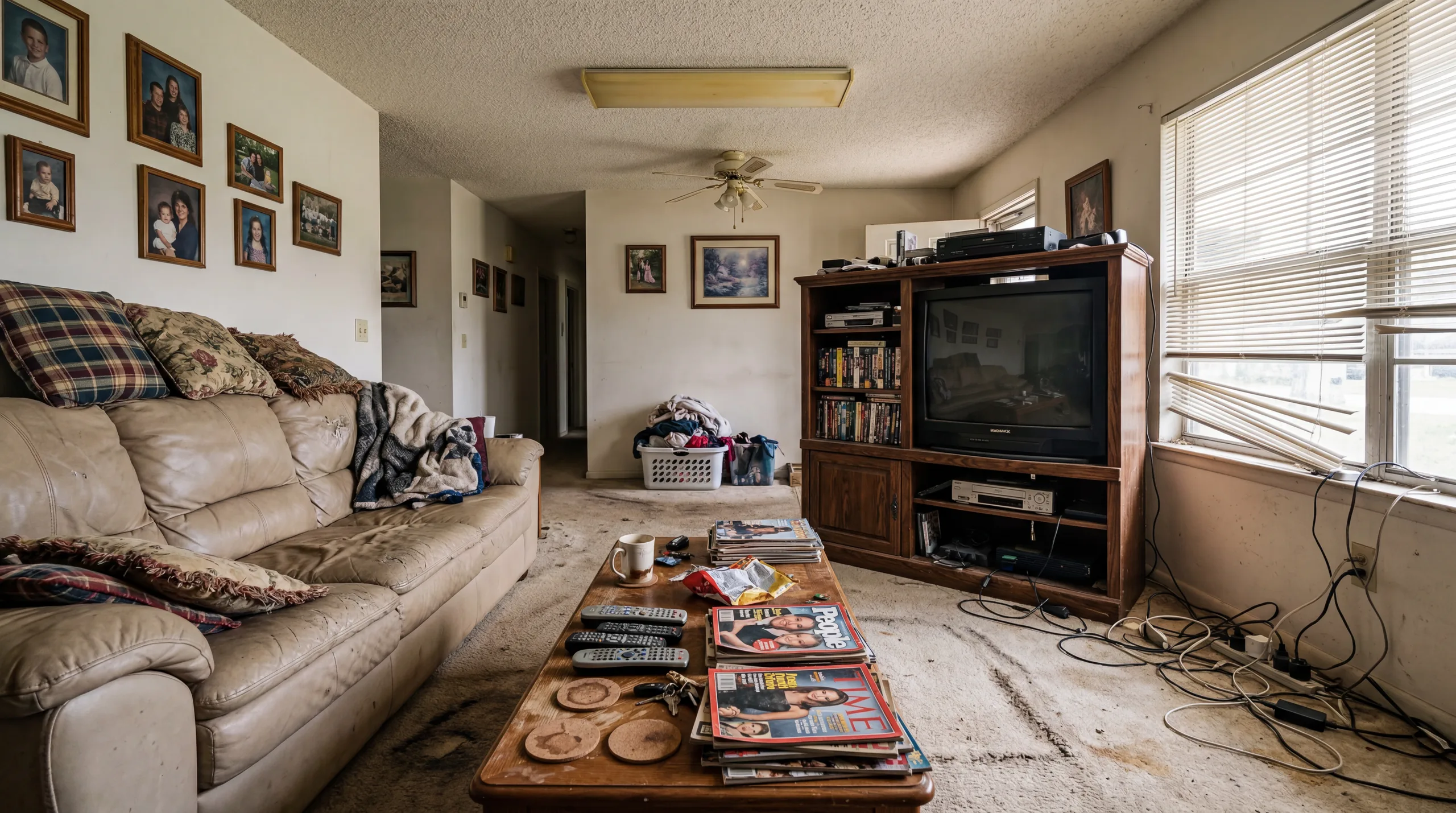
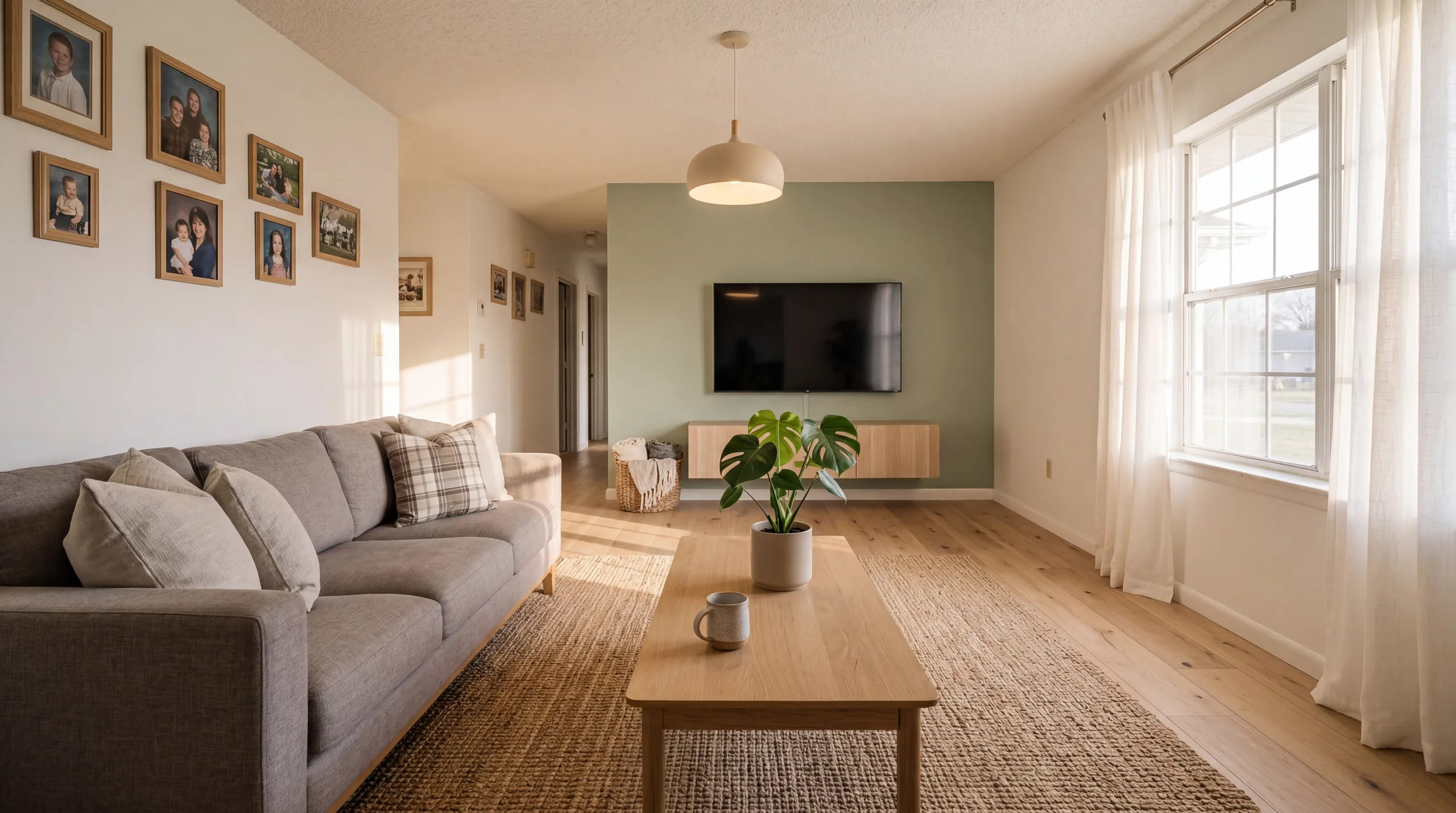
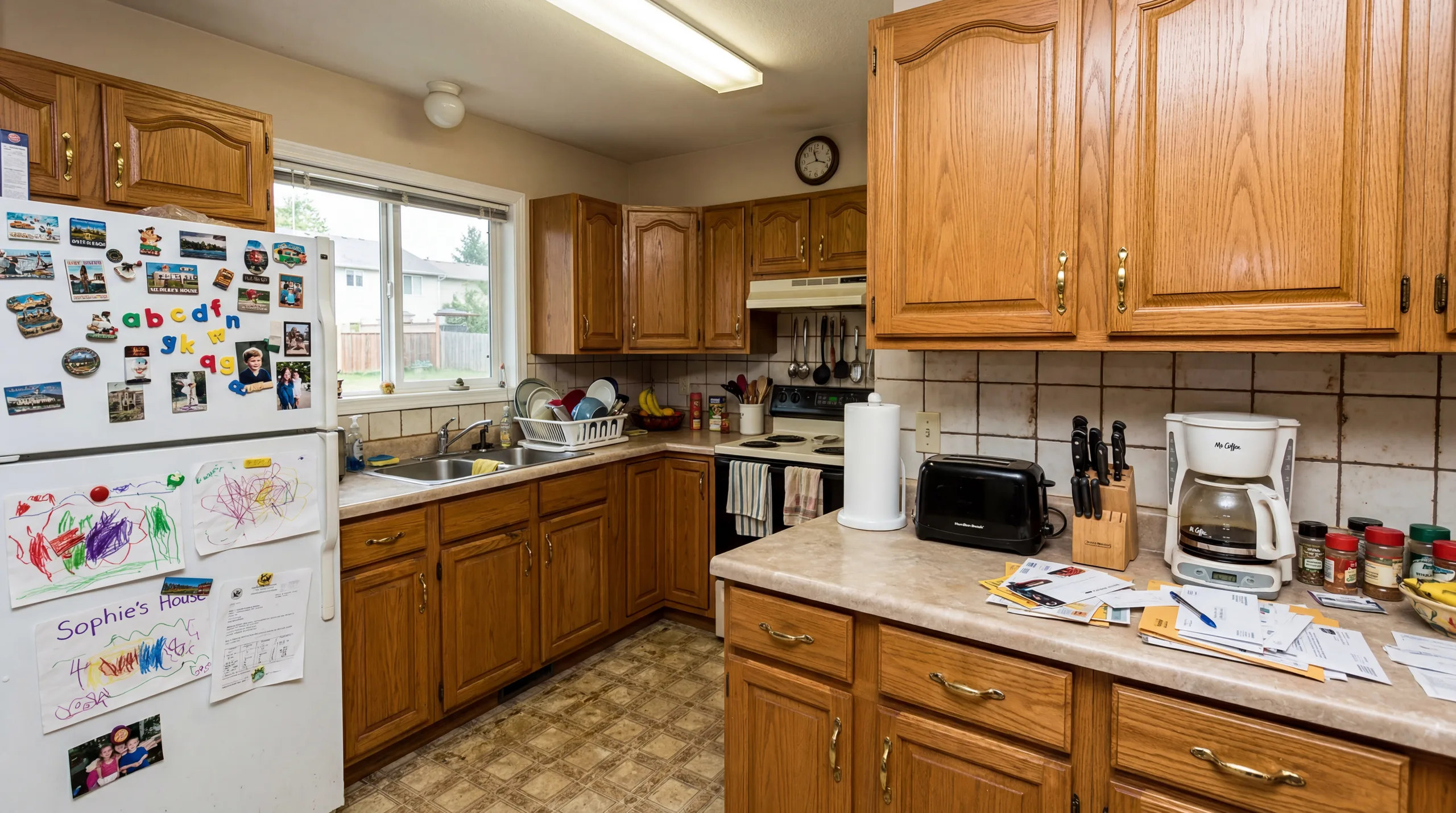
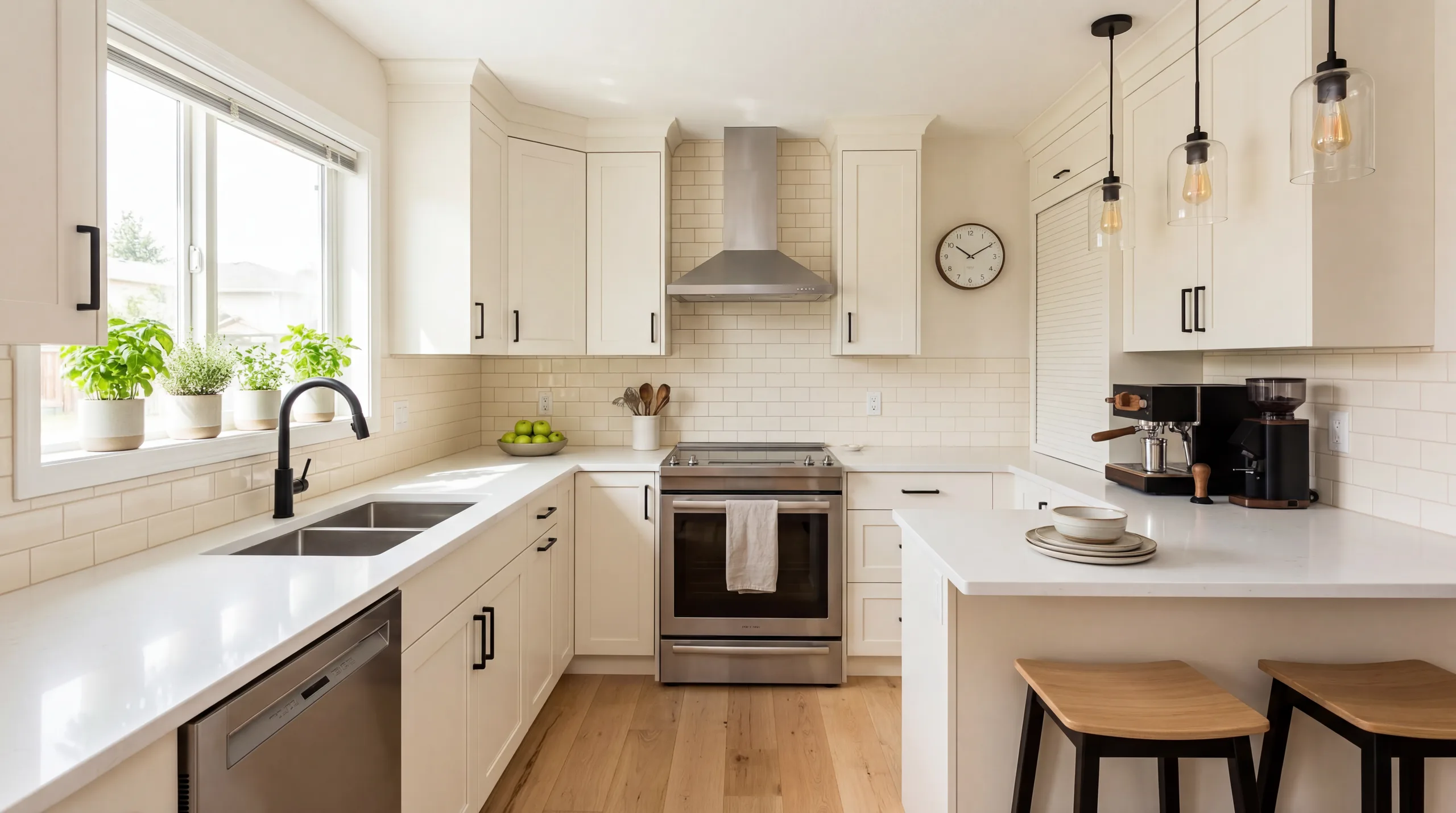
Living Room - After: Modern
Living Room - Before
Before
After · Modern
Drag to compare
AI-Powered Virtual Staging

Free AI Virtual Staging Online

Upload an empty room photo, choose from 12 professional staging styles, and get a photorealistic virtually staged image in 30 seconds. Trusted by real estate agents, Airbnb hosts, and property developers worldwide.

Drop photos here or click to browse

Up to 6 photos (0/6)

What Is Virtual Staging?

Virtual staging is the process of digitally adding furniture, decor, and accessories to photos of empty or vacant rooms. It creates photorealistic images that help real estate buyers, renters, and guests visualize a property's full potential without the cost or logistics of physical staging.

How AI Virtual Staging Works

AI virtual staging uses advanced image-to-image generation to analyze your room's architecture, including walls, windows, flooring, and spatial dimensions. The AI then generates photorealistic furniture and decor that matches your selected style while preserving every structural detail of the original photo.

Unlike manual virtual staging services where a human designer places 3D furniture models, AI staging generates each piece contextually. It understands perspective, lighting direction, shadow angles, and spatial relationships to create results that look naturally photographed rather than composited.

The entire process takes approximately 30 seconds per image. Upload a photo, select a design style, and the AI delivers a publication-ready staged image that preserves your room's authentic architecture while transforming it into an aspirational living space.

Virtual Staging vs Traditional Staging

Cost

Traditional staging costs $800 to $2,900 per room for furniture rental, delivery, and setup. AI virtual staging costs as little as $0.17 per image, a savings of over 95%.

Speed

Traditional staging requires 3 to 5 business days for scheduling and setup. AI virtual staging delivers results in 30 seconds, available 24/7.

Flexibility

Physical staging locks you into one style. AI staging lets you generate multiple style variations from the same photo, appealing to different buyer demographics.

Scalability

Staging 10 properties physically costs $20,000+. AI staging the same 10 properties costs under $20 with instant results for every listing.

Virtual Staging for Real Estate Listings

Virtual staging has become the standard marketing tool for listing agents, brokerages, and property developers. Industry data consistently shows that staged properties outperform vacant listings on every key metric.

Staged Homes Sell 73% Faster

The National Association of Realtors (NAR) reports that staged homes sell 73% faster than non-staged properties. Their 2023 Profile of Home Staging found that 82% of buyers' agents say staging makes it easier for buyers to visualize a property as their future home.

Empty rooms are difficult for buyers to interpret. Without furniture for scale, rooms appear smaller than they are. Without decor for warmth, properties feel cold and uninviting. Buyers spend an average of 60% more time viewing staged listing photos online, which directly correlates with showing requests and offers.

For agents managing multiple listings, AI virtual staging makes it economically feasible to stage every property rather than only the high-value ones. When staging costs drop from $2,000+ to under $5, the decision to stage becomes automatic.

Virtual Staging ROI for Agents

The return on investment for virtual staging is extraordinary. A typical listing has 6 to 10 key photos. At $0.30 per Standard quality staging, that is $1.80 to $3.00 per listing. Traditional staging for the same property would cost $1,500 to $3,000.

Real estate teams using AI virtual staging report measurable improvements across their portfolio: 25% to 40% reduction in days on market, 5% to 10% higher final sale prices, and significantly more showing requests in the first week of listing.

For a real estate agent closing 20 transactions per year, spending $60 on AI virtual staging versus $40,000 on traditional staging represents a 99.8% cost reduction while delivering comparable marketing impact. Explore our pricing plans designed specifically for real estate professionals.

Virtual Staging by Room Type

Different rooms require different staging approaches. Each room type has specific furniture requirements, style recommendations, and photography best practices for optimal virtual staging results.

How to Virtually Stage a Room

Transform any empty room into a beautifully staged space in three simple steps. No design skills required.

Step 1 — Upload Your Empty Room Photo

Take a photo of the vacant room you want to stage. Shoot from a corner or doorway to capture maximum floor space. Natural daylight produces the best AI staging results. Supports JPG, PNG, and WebP up to 10MB.

Step 2 — Choose a Staging Style

Select from 12 professional design styles including Modern, Scandinavian, Farmhouse, Coastal, and more. Each style is optimized for real estate photography. Preview the style card to see what each option looks like before generating.

Step 3 — Download Your Staged Image

In approximately 30 seconds, the AI generates a photorealistic staged image. Use the before/after slider to compare the transformation, then download in Standard (2K) or HD (4K) quality for your listing photos.

Virtual Staging Pricing Comparison

Compare the cost, speed, and quality of three approaches to staging properties for sale or rental.

Traditional Staging

$800 - $2,900

per property

  • 3-5 days setup time
  • 1 style per staging
  • Furniture rental fees
  • Delivery & pickup costs
  • Scheduling required
  • Limited availability

Manual Virtual Staging

$20 - $100

per image

  • 24-48 hour turnaround
  • Revision requests needed
  • Human designer required
  • Business hours only
  • Quality varies by designer
  • Minimum order often required
Best Value

AI Virtual Staging

From $0.17

per image

  • 30-second generation
  • 12 styles per photo
  • Available 24/7
  • No scheduling needed
  • Consistent quality
  • Unlimited revisions
View pricing plans →

Quick ROI calculation for real estate agents

6 listing photos x $0.30 per Standard staging = $1.80 per property. Traditional staging for the same property = $1,500+. You save $1,498 per listing while achieving comparable marketing impact.

Before and After Virtual Staging Examples

See how AI virtual staging transforms empty rooms into beautifully furnished spaces. Every example below was generated in under 30 seconds using VirtualStagingAI. These are real results, not mockups.

Transformation Stories

The room gets easier to sell when the future feels specific

Real talk-tracks that listing agents, hosts, and consultants use to help someone picture a better life inside the same footprint.

Real Estate Agent

Vacant living room to move-in ready showcase

Before redesign
Before
After redesign
After

Talk Track

"This living room sat vacant for 3 weeks with zero showing requests. After AI virtual staging with the Modern style, the listing received 8 showing requests in the first 48 hours. The staged photos helped buyers visualize the space's potential."

Airbnb Superhost

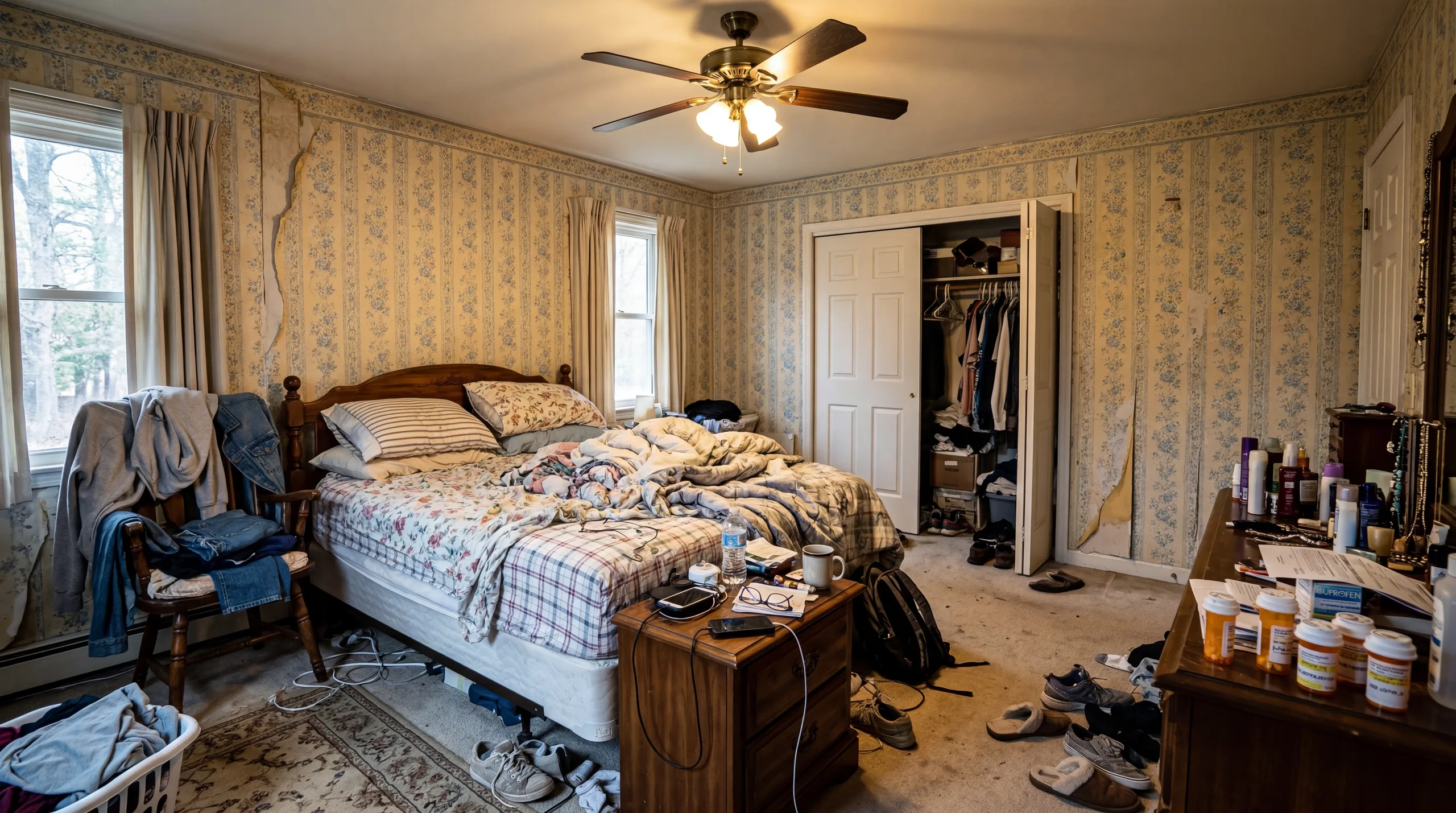
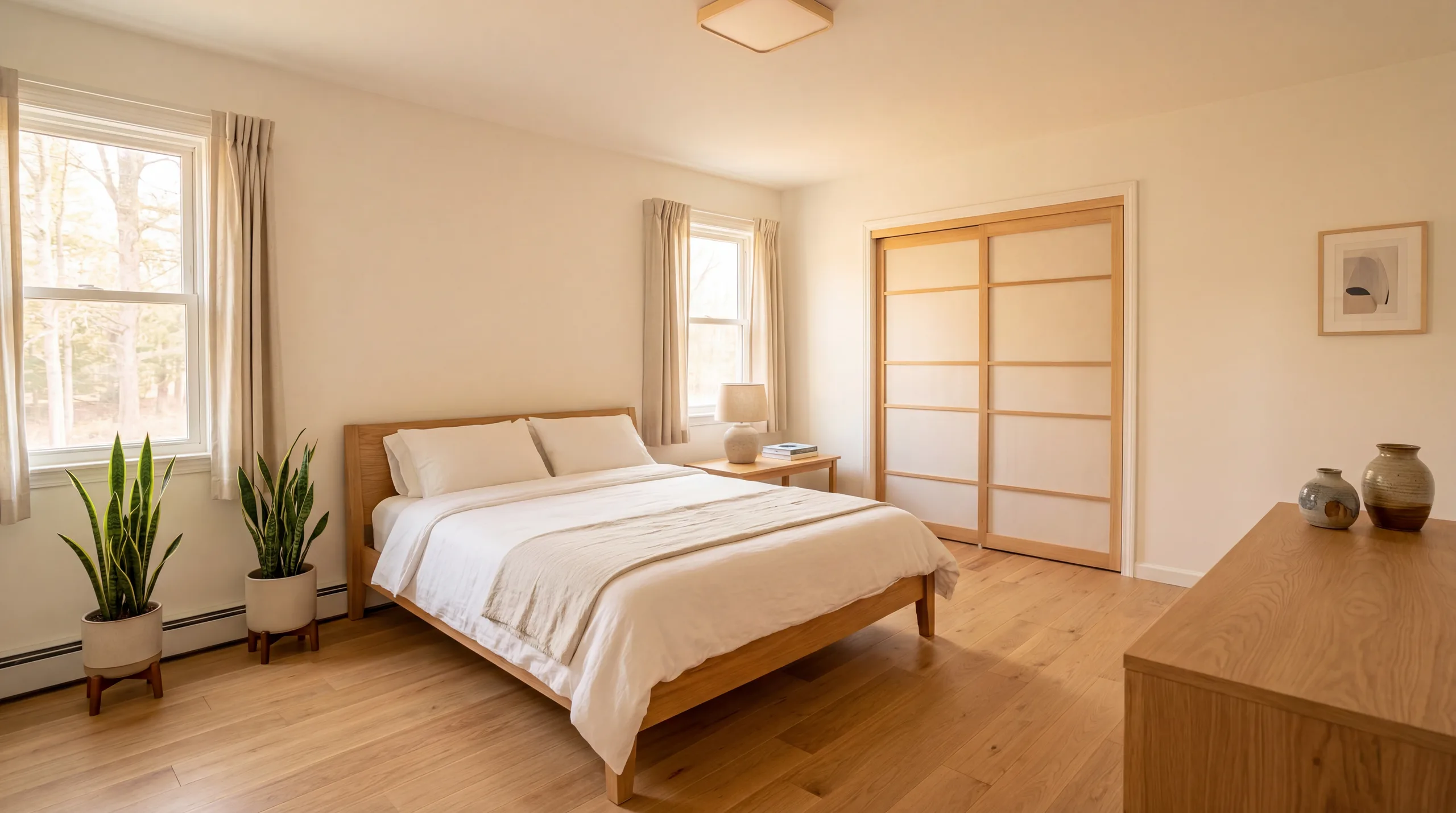
Empty bedroom to boutique hotel experience

Before redesign
Before
After redesign
After

Talk Track

"AI virtual staging helped plan a complete bedroom refresh for this Airbnb listing. After purchasing furniture matching the Scandinavian staging suggestion, the host increased nightly rates by 35% and earned Superhost status within one quarter."

Property Developer

New construction kitchen to model home quality

Before redesign
Before
After redesign
After

Talk Track

"This new-build kitchen needed model-home quality photos for pre-sale marketing. AI virtual staging with the Contemporary style created listing photos that helped sell 4 units before construction was complete, at an average of 5% above asking price."

Frequently Asked Questions

Everything you need to know about AI virtual staging for real estate

What is AI virtual staging?

AI virtual staging uses artificial intelligence to digitally furnish empty or vacant room photos with photorealistic furniture, decor, and accessories. Unlike traditional home staging that costs $2,000 to $5,000 per property and takes days to arrange, AI virtual staging transforms your listing photos in 30 seconds at a fraction of the cost. Real estate agents, Airbnb hosts, and property developers use virtual staging to help buyers and guests visualize a property's full potential.

How much does virtual staging cost?

Traditional home staging costs $800 to $2,900 per room, plus delivery, setup, and rental fees. Manual virtual staging services charge $20 to $100 per image with 24-48 hour turnaround. VirtualStagingAI offers AI virtual staging from $0.17 per image with instant results. Start free with 5 credits, or choose our Starter plan at $9.99/month for 100 credits (approximately 33 Standard quality stagings).

Is virtual staging effective for selling homes?

According to the National Association of Realtors (NAR), staged homes sell 73% faster than non-staged properties. The NAR also reports that 82% of buyers' agents say staging makes it easier for buyers to visualize a property as their future home. Virtual staging delivers similar buyer engagement at a fraction of the cost of physical staging, making it one of the highest-ROI marketing tools available to real estate agents.

Can I use virtually staged photos in MLS listings?

Yes, virtually staged photos are widely used in MLS listings across the United States. However, most MLS systems and the National Association of Realtors require clear disclosure that photos have been virtually staged. Always label your staged images with a 'Virtually Staged' watermark or caption to maintain transparency with buyers and comply with local regulations and fair housing guidelines.

How realistic is AI virtual staging?

Modern AI virtual staging produces photorealistic results that preserve your room's actual architecture, windows, flooring, and structural details. The AI analyzes your room's lighting, perspective, and dimensions to place furniture and decor that looks naturally integrated. Many real estate professionals report that their AI-staged photos are indistinguishable from professional interior photography in listing presentations.

What types of rooms can I virtually stage?

VirtualStagingAI works with any indoor space: living rooms, bedrooms, kitchens, bathrooms, dining rooms, home offices, and more. For best results, photograph empty rooms from a corner or doorway with good natural lighting. The AI handles rooms of all sizes, from studio apartments to luxury estates, and offers 12 design styles including Modern, Scandinavian, Farmhouse, and Coastal.

How long does virtual staging take?

Each AI virtual staging generation takes approximately 30 seconds. Upload your empty room photo, select a design style, choose your quality level (Preview, Standard, or HD), and receive your photorealistic staged image almost instantly. Compare that to traditional staging which requires 3 to 5 business days for scheduling, delivery, and setup.

What design styles are available for virtual staging?

VirtualStagingAI offers 12 professional design styles: Modern, Scandinavian, Farmhouse, Industrial, Japanese, Contemporary, Mid-Century Modern, Minimalist, Bohemian, Coastal, Art Deco, and Tropical. Each style is optimized for real estate photography and appeals to different buyer demographics. You can stage the same room in multiple styles to appeal to broader audiences.

Do I need design experience to use virtual staging?

No design experience is required. VirtualStagingAI is built for real estate professionals, not designers. Upload a photo, pick a style, and the AI handles all furniture placement, color coordination, lighting, and decor decisions automatically. The entire process takes less than 60 seconds from upload to download.

Can I use virtual staging for Airbnb listings?

Virtual staging is excellent for Airbnb and vacation rental hosts. Use it to visualize furniture upgrades before purchasing, plan room redesigns, and create aspirational images for your listing. Hosts who upgrade their decor based on AI staging suggestions report 20-40% increases in nightly rates. Popular styles for short-term rentals include Scandinavian (boutique hotel feel) and Coastal (vacation vibes).

Ready to Stage Your Listings with AI?

Upload an empty room photo and get a photorealistic virtually staged image in 30 seconds. Start with 5 free credits, no credit card required. Join 1,000+ real estate professionals who trust VirtualStagingAI.

Start Virtual Staging Free

For Realtors · For Airbnb · Software Features · New Construction · Luxury Staging

How to Use AI Virtual Staging Responsibly

AI virtual staging works best when the input photo is honest and the output is reviewed before publication. Upload a clear room photo, choose a style that matches the property, then check whether furniture scale, shadows, windows, doors, flooring, and built-in features still look believable. The staged image should help buyers understand potential, not hide the real condition of the home.

For real estate listings, keep both the original and staged version available. Many MLS systems and brokerages expect virtual staging to be disclosed clearly, especially when furniture, decor, or room use has been digitally added. Label staged photos in captions, listing notes, or image overlays according to local rules and brokerage policy.

The strongest results come from empty or lightly furnished rooms photographed in natural light. Shoot from a corner or doorway, keep the camera level, avoid extreme wide-angle distortion, and remove clutter before uploading. Dark photos, cropped floors, heavy reflections, and tilted walls make it harder for any AI staging system to produce a realistic result.

Match style to buyer intent. Modern is the safest broad-market choice. Scandinavian is useful when a room needs warmth and calm. Farmhouse works for family-oriented kitchens and dining areas. Minimalist can make small rooms feel larger, while Mid-Century or Coastal can help distinctive listings feel more memorable.

Avoid using virtual staging to imply renovations that have not happened. Do not remove permanent defects, change views, alter windows, erase structural constraints, or add fixtures that a buyer will not receive. If a result changes the perceived condition or layout of the property, it needs disclosure or should not be used in the listing.

Review the final image on a phone, laptop, and listing preview before publishing. Buyers often see the first photo at thumbnail size, so the room should read clearly even when compressed. If furniture looks oversized, if a rug bends strangely, or if the room feels too glossy for the property, regenerate with a simpler style or choose a cleaner input.

Best fit

Empty listings, new construction, rentals, Airbnb refreshes, and rooms where buyers need help understanding scale, furniture layout, and lifestyle potential.

Poor fit

Photos with major structural damage, inaccurate dimensions, low light, clutter, mirror reflections, or situations where the staged image would misrepresent the property.

Before publishing

Compare before and after, disclose virtual staging, verify scale and shadows, confirm the room still matches the real property, and keep the original photo for reference.

What to Check Before You Publish

Start with the room itself. A staged photo should preserve the permanent parts of the property: wall placement, window size, flooring direction, built-ins, appliances, counters, fireplaces, ceiling height, and visible views. If the output changes one of those details, do not use it as a listing image without correction and disclosure.

Then review furniture scale. Sofas should not block doors, beds should not cover windows, dining chairs should have room to pull out, and rugs should sit flat on the floor. A stylish room still fails if the arrangement makes the real space feel larger or easier to furnish than it is.

Finally, compare the staged photo against the audience. A first-time buyer listing needs clarity and warmth. A luxury listing needs restraint and finish quality. A rental page needs a believable guest experience. Choosing a style that matches the buyer is more important than choosing the most dramatic render.

Keep the original photo with the staged version. That makes future edits easier and helps agents, hosts, clients, or teammates understand what changed. It also protects the workflow if a brokerage, MLS, portal, or client asks for proof that the listing was presented transparently.

Use staging as visual planning when you are not ready to publish. For homeowners and hosts, a generated image can guide furniture shopping, wall color, layout, and lighting decisions. The final purchase still needs measurements, samples, delivery checks, and budget review.

If a room looks wrong after multiple generations, the input is usually the issue. Retake the photo with more light, less clutter, a straighter camera angle, and more visible floor. Better source photos improve realism more reliably than adding more style words to the prompt.

Source photo: use a level, bright, uncluttered image with enough floor and wall visible for the model to understand room shape.
Style choice: match the property audience before choosing a look; broad-market listings usually need calmer staging.
Final review: check scale, shadows, disclosure, original-photo access, and mobile preview before publishing.

Virtual staging pages should make a real buyer or agent more informed than they were before clicking. That means explaining when a style works, when it misleads, what the input photo must show, and what must be reviewed before the output appears in a listing, rental page, or client presentation.

Style pages need the same discipline. Modern, Scandinavian, Farmhouse, Coastal, Industrial, Japanese, Contemporary, Art Deco, Bohemian, and Tropical staging each changes buyer expectations. A style guide should explain the rooms where the look helps, the rooms where it feels forced, and the property types where the style may distract from the actual listing.

When the purpose is real estate marketing, use the staged result to clarify the room rather than to create a fantasy interior. The output should make layout, scale, light, and use case easier to understand. If a beautiful render makes the room less honest, choose a simpler version or keep the image as an internal design reference only.

For thin style pages, the missing information is usually practical context. Name the room types where the style performs best, the photo conditions it needs, the buyer impression it creates, and the reason a seller might choose another style. This turns the page from a style label into a decision guide.

A seller should also know what the style cannot fix. Staging cannot repair a poor photo, inaccurate room dimensions, structural problems, or a weak listing strategy. It can make a useful room easier to understand, and that is the standard each page should meet.

Use the style choice to answer a buyer question. Modern can make a room feel move-in ready. Scandinavian can soften a cold room. Art Deco and Contemporary can support higher-end positioning. Tropical and Bohemian can help lifestyle properties, but they can feel distracting on ordinary listings if the architecture does not support the mood.

Pick the style that makes the room easier to understand at a glance, then keep the original photo available so every viewer can separate the real property from the staged vision.

That review step should be present on every style page, especially newer pages with shorter body copy.

Keep the guidance concrete.

Specific guidance wins.

Avoid vague style advice.