Virtual Staging Before and After Gallery

See real virtual staging transformations generated by VirtualStagingAI. Every example was created in under 30 seconds using AI technology. Drag the slider to compare before and after.

AI Virtual Staging Transformations

These before and after examples demonstrate the photorealistic quality of AI virtual staging. Each transformation preserves the room's actual architecture, windows, flooring, and structural details while adding furniture and decor that matches the selected design style.

Transformation Stories

The room gets easier to sell when the future feels specific

Real talk-tracks that listing agents, hosts, and consultants use to help someone picture a better life inside the same footprint.

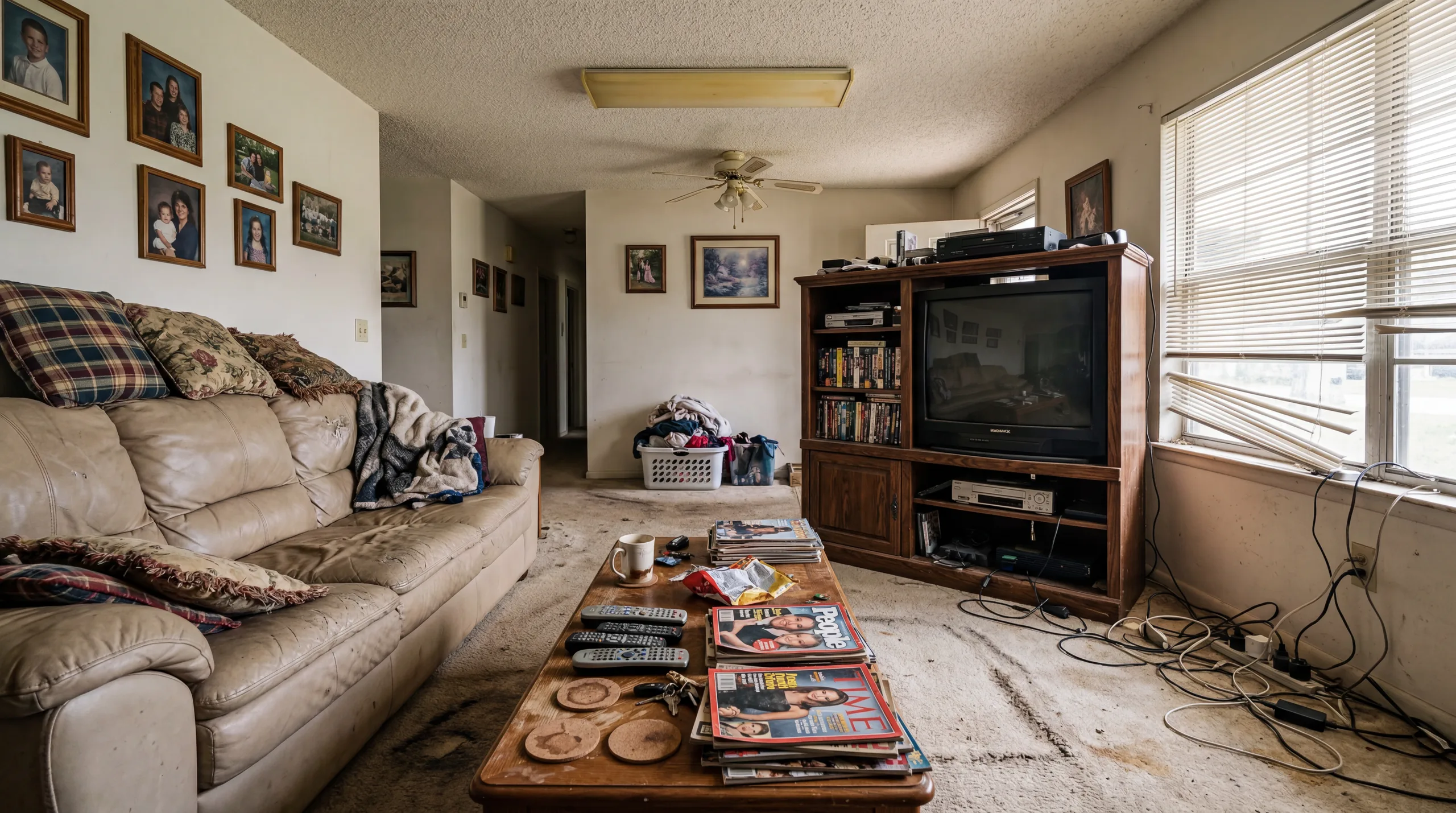
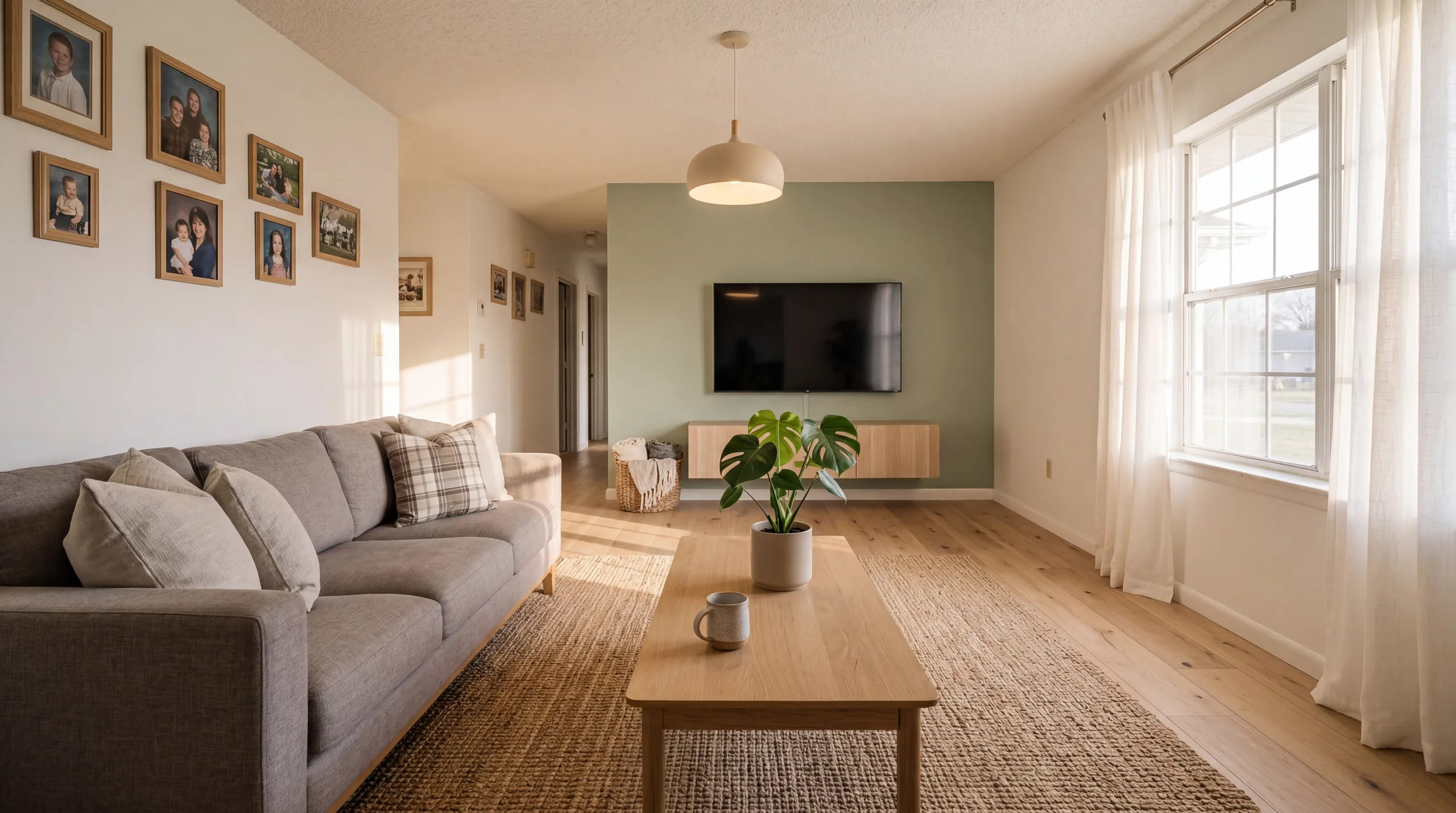
Living Room — Modern

Vacant living room to move-in ready showcase

Before redesign
Before
After redesign
After

Talk Track

"This empty living room received zero showing requests in its first 3 weeks on market. After AI virtual staging with the Modern style, the listing received 8 showing requests in 48 hours. The staged photos helped buyers visualize the space as a warm, inviting home rather than an empty shell."

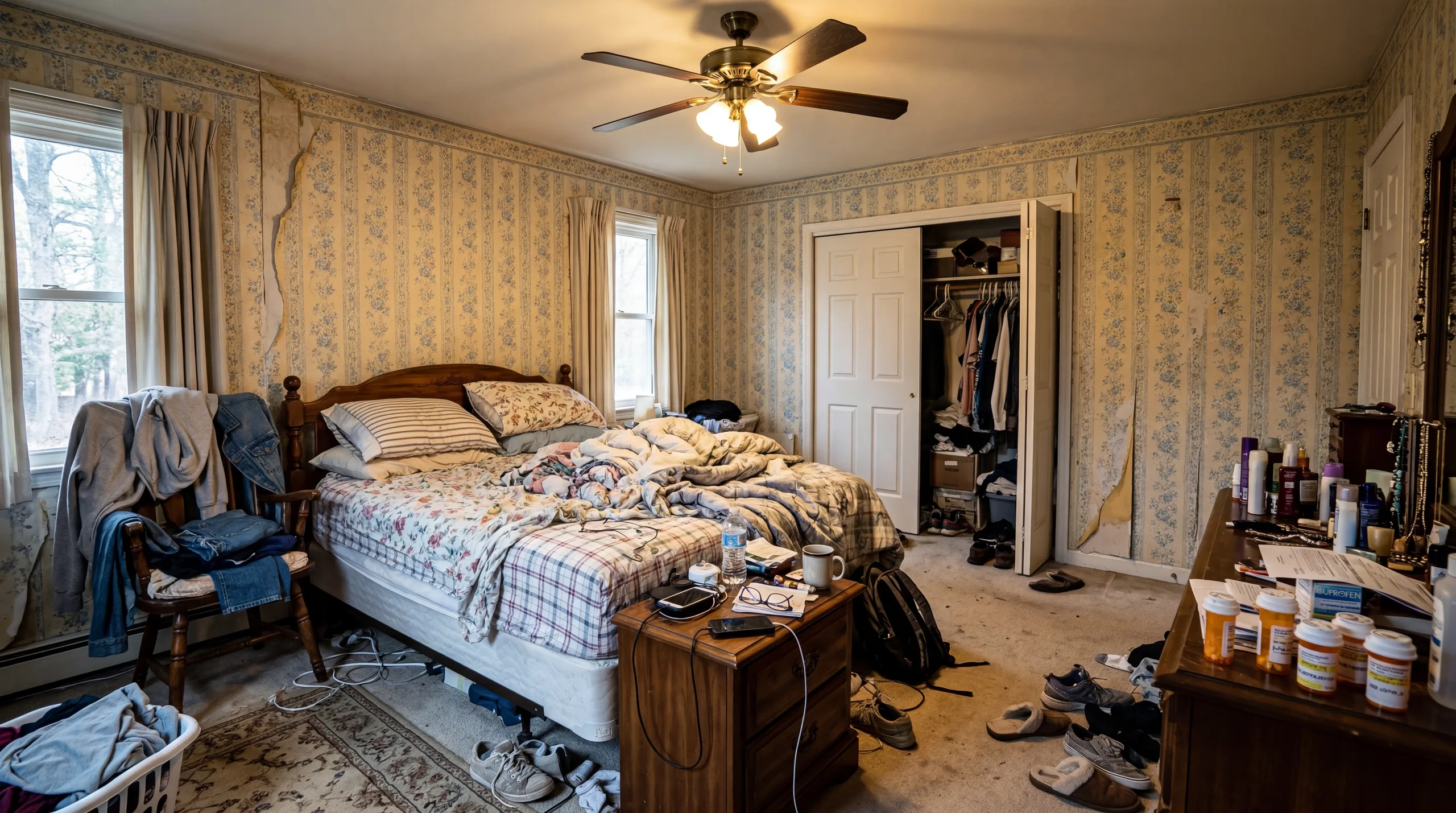
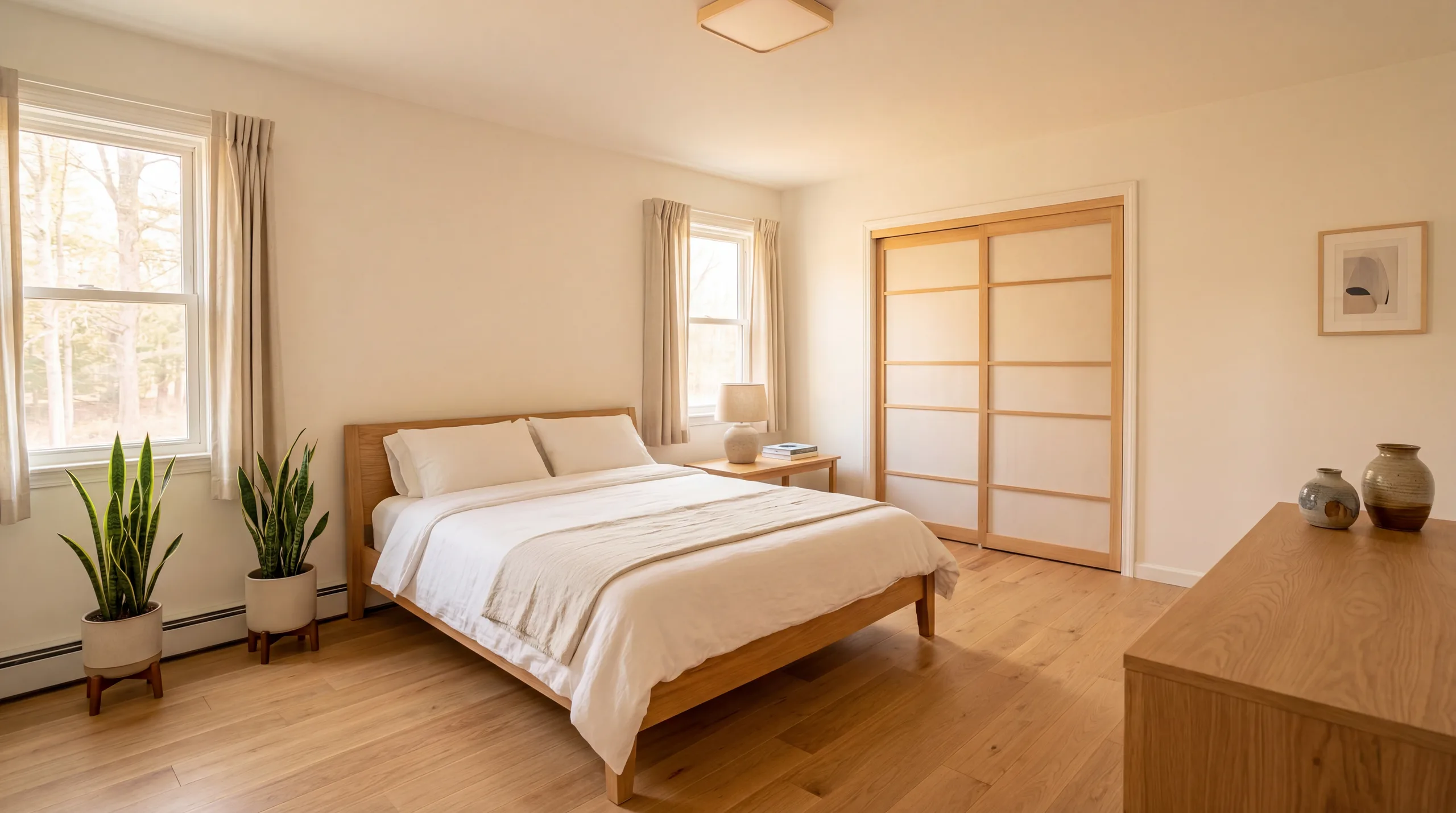
Bedroom — Scandinavian

Empty bedroom to serene retreat

Before redesign
Before
After redesign
After

Talk Track

"An empty master bedroom with bare walls and visible carpet does not inspire buyers. Scandinavian staging added a platform bed with premium bedding, matching nightstands, soft lighting, and a layered rug that transformed the room into an aspirational sanctuary. The buyer's agent reported this was the photo that sealed the showing request."

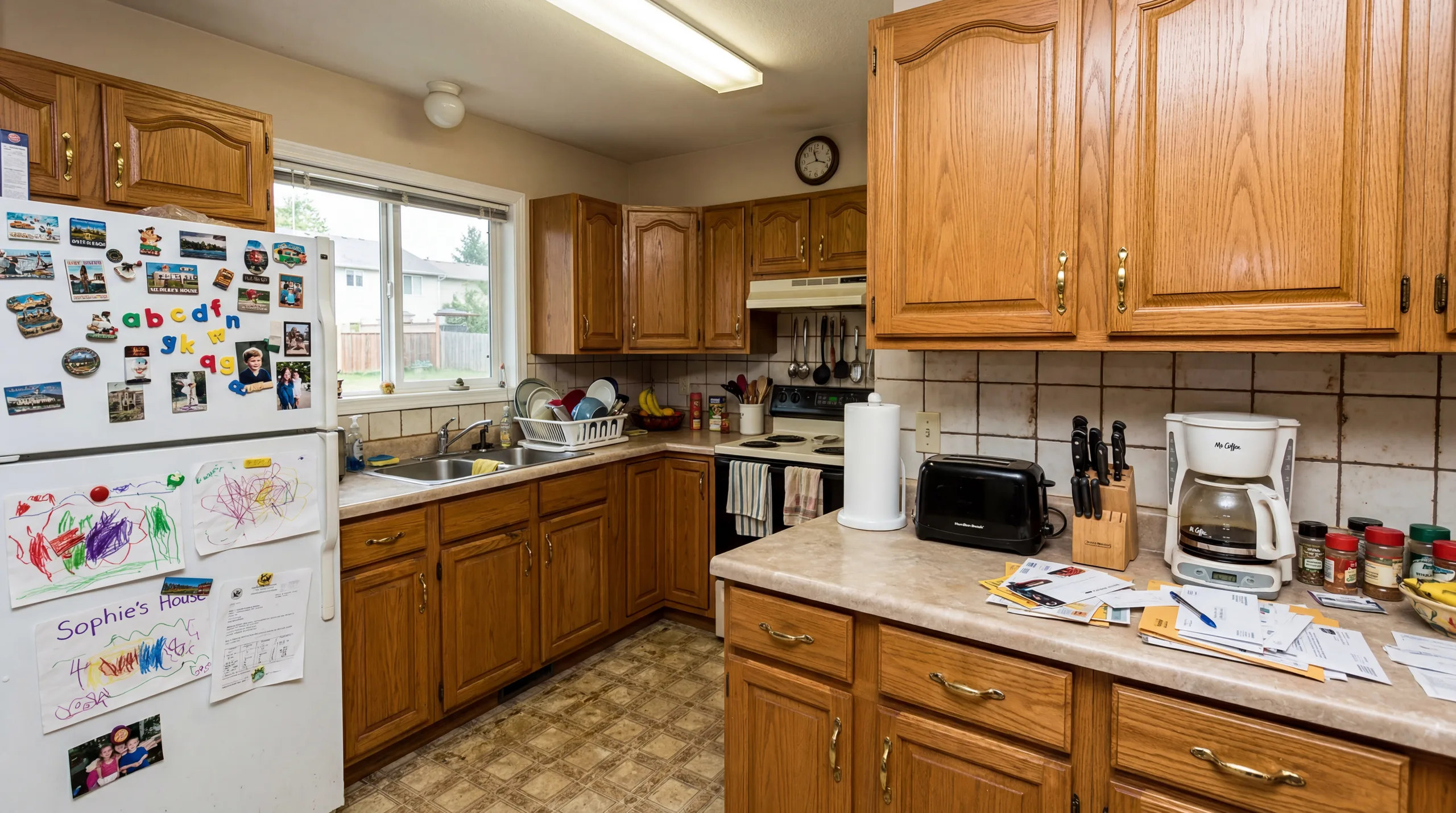
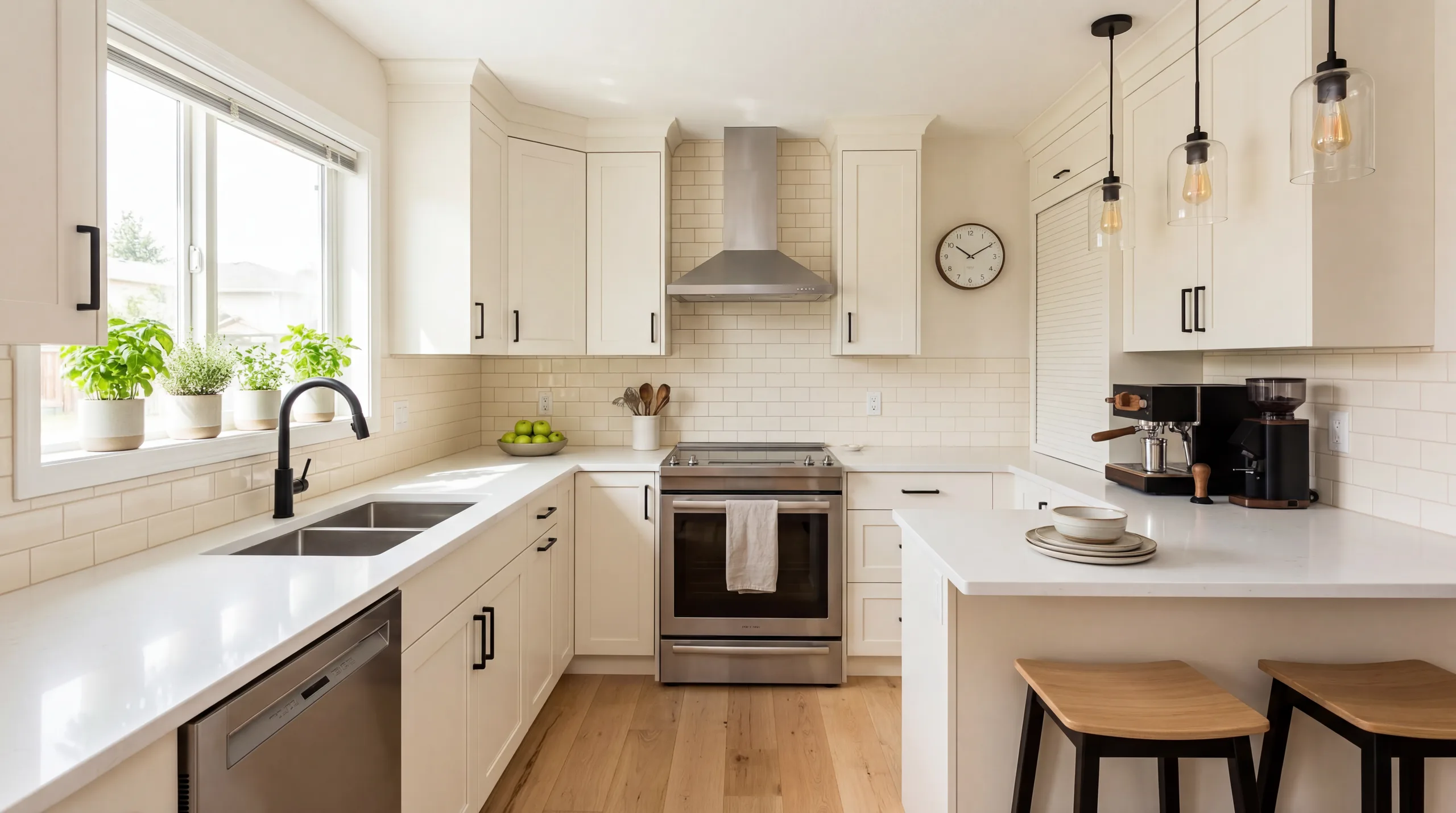
Kitchen — Contemporary

Bare kitchen to culinary showcase

Before redesign
Before
After redesign
After

Talk Track

"New construction kitchens look clinical without accessories and styling. Contemporary staging added countertop vignettes, pendant lighting emphasis, bar stools, and curated accessories that made this kitchen feel like a model home. The developer used these photos to sell 4 units pre-completion."

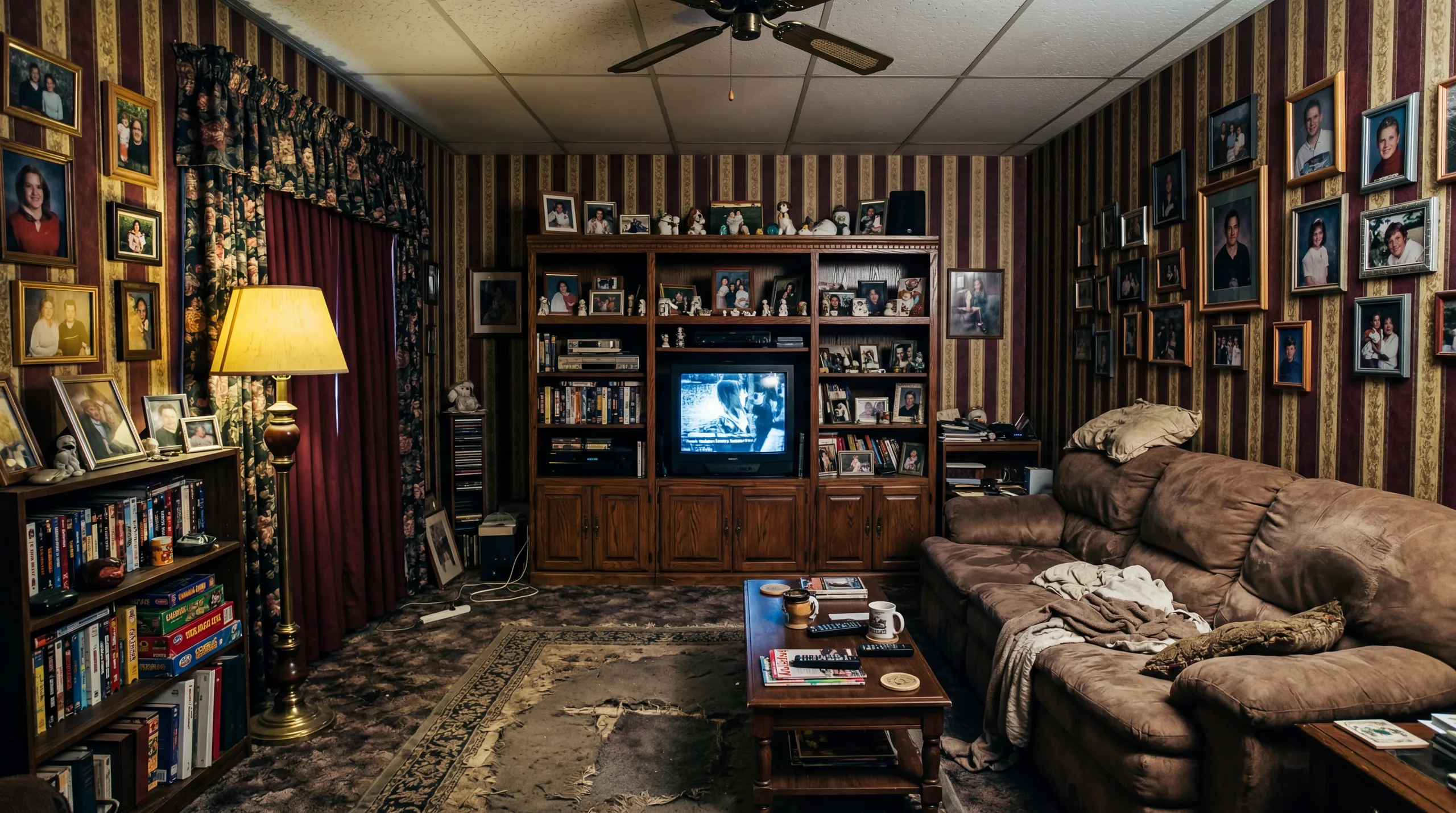
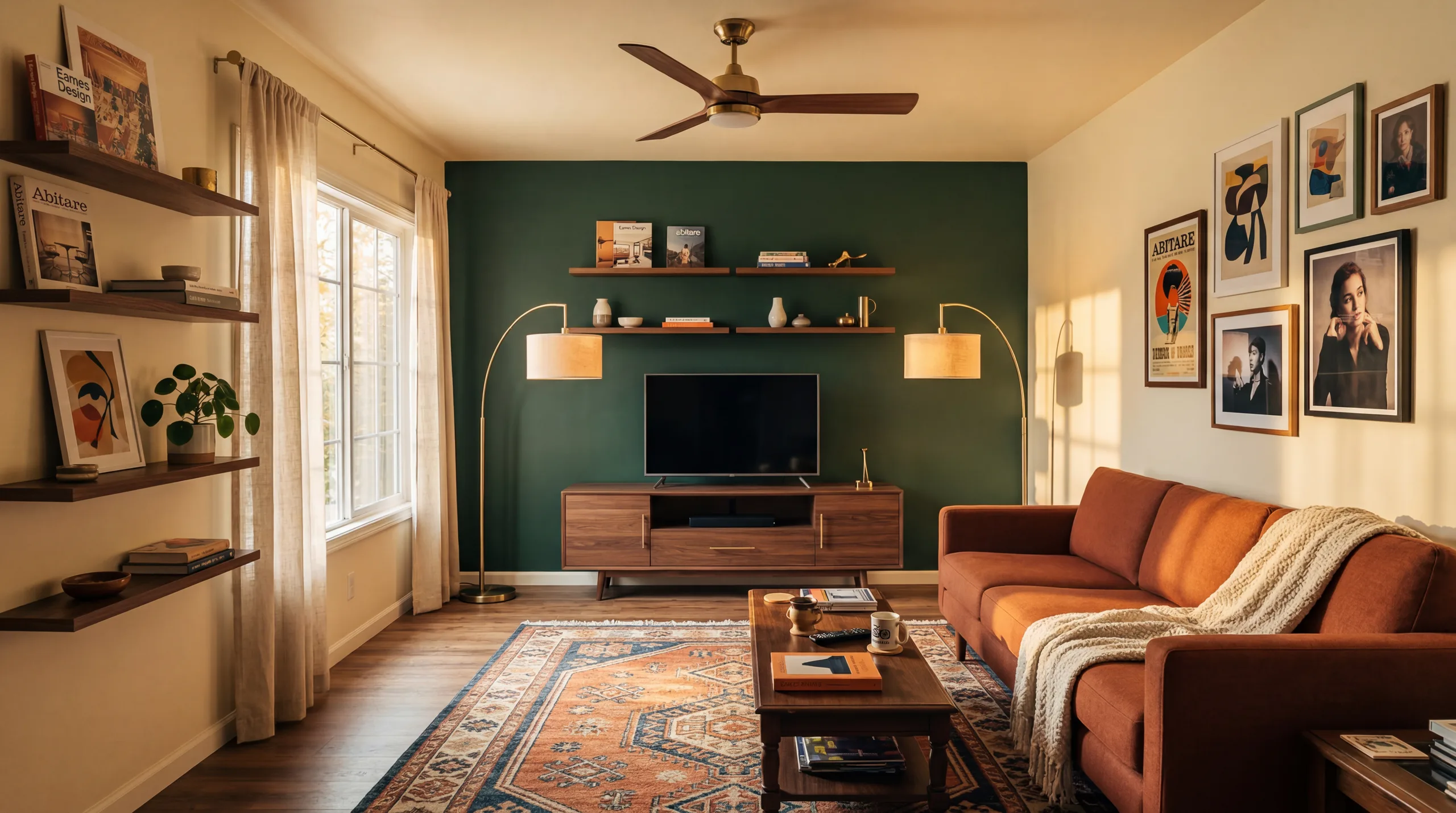
Family Room — Farmhouse

Empty family room to warm gathering space

Before redesign
Before
After redesign
After

Talk Track

"This spacious family room felt cold and purposeless when empty. Farmhouse staging added a comfortable sectional, rustic coffee table, warm throws, and family-friendly accessories that helped buyers with children immediately connect with the space. The listing closed 40% faster than comparable unstaged properties."

Understanding Virtual Staging Quality

The before and after examples above demonstrate several important aspects of AI virtual staging quality. First, the AI preserves every architectural detail of the original room: wall color, window frames, flooring material, ceiling height, and structural elements remain exactly as they appear in the original photo. Only furniture, decor, and accessories are added.

Second, the AI understands spatial relationships. Furniture is placed at correct perspective angles, scaled appropriately to the room dimensions, and positioned in natural, functional arrangements. A dining table is not placed in front of a doorway. A sofa does not float in the middle of the room. The AI makes the same placement decisions a professional stager would make.

Third, lighting is contextually matched. Shadows fall in the direction consistent with the room's natural light sources. Reflective surfaces show appropriate highlights. Fabric textures respond to the ambient light level. This lighting coherence is what makes AI staging results look naturally photographed rather than composited.

Staging Results by Room Type

Different room types showcase different aspects of AI staging quality. Living rooms demonstrate large-scale furniture placement with sofas, tables, and area rugs. Bedrooms showcase textile rendering including bedding, pillows, and curtains. Kitchens show detailed accessory styling on countertops. Bathrooms demonstrate coordinated small-item placement. Dining rooms show table setting and chandelier integration.

Tips for Best Staging Results

  • Use well-lit photos with natural daylight for the most inviting staging results
  • Photograph from corners or doorways to capture maximum floor space
  • Remove all personal items, boxes, and clutter before photographing
  • Use landscape orientation, as listing platforms are optimized for landscape images
  • Try multiple styles on the same room to find the one that best suits the property
  • Use HD (4K) quality for hero listing photos and Standard quality for supplementary angles

Staging Results by Style

Each of our 12 design styles produces distinctly different staging results. Modern creates clean, broadly appealing spaces. Scandinavian adds warmth with light wood. Farmhouse evokes rustic comfort. Coastal brings vacation vibes. Mid-Century Modern appeals to design enthusiasts. Minimalist maximizes perceived space. Browse our style guide to find the right staging aesthetic for your property.

Frequently Asked Questions

Are these before and after examples real?

Yes. Every before and after example on this page was generated using VirtualStagingAI's AI virtual staging technology. The 'before' photos are actual empty room photographs, and the 'after' images were generated by our AI in approximately 30 seconds each. No manual editing or 3D modeling was used.

How can I get results like these?

Upload any empty room photo to VirtualStagingAI, select a design style, and the AI generates photorealistic virtual staging in 30 seconds. Start free with 5 credits. For best results, use well-lit photos taken from a corner or doorway in landscape orientation.

Can I stage my room in different styles?

Absolutely. Upload one photo and generate multiple style variations. Try Modern, Scandinavian, Farmhouse, Coastal, and more. Each generation costs 1-5 credits depending on quality level. This flexibility is one of the biggest advantages over traditional staging.

What quality levels are available?

VirtualStagingAI offers three quality levels: Preview (1 credit, lower resolution with watermark), Standard (3 credits, 2K resolution, no watermark), and HD (5 credits, 4K resolution, print-ready). For listing photos, we recommend Standard or HD quality.

Create Your Own Before & After

Upload an empty room photo and get your own photorealistic virtual staging transformation in 30 seconds. Start with 5 free credits, no credit card required.

Start Virtual Staging Free

How to Use AI Virtual Staging Responsibly

AI virtual staging works best when the input photo is honest and the output is reviewed before publication. Upload a clear room photo, choose a style that matches the property, then check whether furniture scale, shadows, windows, doors, flooring, and built-in features still look believable. The staged image should help buyers understand potential, not hide the real condition of the home.

For real estate listings, keep both the original and staged version available. Many MLS systems and brokerages expect virtual staging to be disclosed clearly, especially when furniture, decor, or room use has been digitally added. Label staged photos in captions, listing notes, or image overlays according to local rules and brokerage policy.

The strongest results come from empty or lightly furnished rooms photographed in natural light. Shoot from a corner or doorway, keep the camera level, avoid extreme wide-angle distortion, and remove clutter before uploading. Dark photos, cropped floors, heavy reflections, and tilted walls make it harder for any AI staging system to produce a realistic result.

Match style to buyer intent. Modern is the safest broad-market choice. Scandinavian is useful when a room needs warmth and calm. Farmhouse works for family-oriented kitchens and dining areas. Minimalist can make small rooms feel larger, while Mid-Century or Coastal can help distinctive listings feel more memorable.

Avoid using virtual staging to imply renovations that have not happened. Do not remove permanent defects, change views, alter windows, erase structural constraints, or add fixtures that a buyer will not receive. If a result changes the perceived condition or layout of the property, it needs disclosure or should not be used in the listing.

Review the final image on a phone, laptop, and listing preview before publishing. Buyers often see the first photo at thumbnail size, so the room should read clearly even when compressed. If furniture looks oversized, if a rug bends strangely, or if the room feels too glossy for the property, regenerate with a simpler style or choose a cleaner input.

Best fit

Empty listings, new construction, rentals, Airbnb refreshes, and rooms where buyers need help understanding scale, furniture layout, and lifestyle potential.

Poor fit

Photos with major structural damage, inaccurate dimensions, low light, clutter, mirror reflections, or situations where the staged image would misrepresent the property.

Before publishing

Compare before and after, disclose virtual staging, verify scale and shadows, confirm the room still matches the real property, and keep the original photo for reference.

What to Check Before You Publish

Start with the room itself. A staged photo should preserve the permanent parts of the property: wall placement, window size, flooring direction, built-ins, appliances, counters, fireplaces, ceiling height, and visible views. If the output changes one of those details, do not use it as a listing image without correction and disclosure.

Then review furniture scale. Sofas should not block doors, beds should not cover windows, dining chairs should have room to pull out, and rugs should sit flat on the floor. A stylish room still fails if the arrangement makes the real space feel larger or easier to furnish than it is.

Finally, compare the staged photo against the audience. A first-time buyer listing needs clarity and warmth. A luxury listing needs restraint and finish quality. A rental page needs a believable guest experience. Choosing a style that matches the buyer is more important than choosing the most dramatic render.

Keep the original photo with the staged version. That makes future edits easier and helps agents, hosts, clients, or teammates understand what changed. It also protects the workflow if a brokerage, MLS, portal, or client asks for proof that the listing was presented transparently.

Use staging as visual planning when you are not ready to publish. For homeowners and hosts, a generated image can guide furniture shopping, wall color, layout, and lighting decisions. The final purchase still needs measurements, samples, delivery checks, and budget review.

If a room looks wrong after multiple generations, the input is usually the issue. Retake the photo with more light, less clutter, a straighter camera angle, and more visible floor. Better source photos improve realism more reliably than adding more style words to the prompt.

Source photo: use a level, bright, uncluttered image with enough floor and wall visible for the model to understand room shape.
Style choice: match the property audience before choosing a look; broad-market listings usually need calmer staging.
Final review: check scale, shadows, disclosure, original-photo access, and mobile preview before publishing.

Virtual staging pages should make a real buyer or agent more informed than they were before clicking. That means explaining when a style works, when it misleads, what the input photo must show, and what must be reviewed before the output appears in a listing, rental page, or client presentation.

Style pages need the same discipline. Modern, Scandinavian, Farmhouse, Coastal, Industrial, Japanese, Contemporary, Art Deco, Bohemian, and Tropical staging each changes buyer expectations. A style guide should explain the rooms where the look helps, the rooms where it feels forced, and the property types where the style may distract from the actual listing.

When the purpose is real estate marketing, use the staged result to clarify the room rather than to create a fantasy interior. The output should make layout, scale, light, and use case easier to understand. If a beautiful render makes the room less honest, choose a simpler version or keep the image as an internal design reference only.

For thin style pages, the missing information is usually practical context. Name the room types where the style performs best, the photo conditions it needs, the buyer impression it creates, and the reason a seller might choose another style. This turns the page from a style label into a decision guide.

A seller should also know what the style cannot fix. Staging cannot repair a poor photo, inaccurate room dimensions, structural problems, or a weak listing strategy. It can make a useful room easier to understand, and that is the standard each page should meet.

Use the style choice to answer a buyer question. Modern can make a room feel move-in ready. Scandinavian can soften a cold room. Art Deco and Contemporary can support higher-end positioning. Tropical and Bohemian can help lifestyle properties, but they can feel distracting on ordinary listings if the architecture does not support the mood.

Pick the style that makes the room easier to understand at a glance, then keep the original photo available so every viewer can separate the real property from the staged vision.

That review step should be present on every style page, especially newer pages with shorter body copy.

Keep the guidance concrete.

Specific guidance wins.

Avoid vague style advice.