Real Estate Agent
Vacant living room to reviewed listing proof

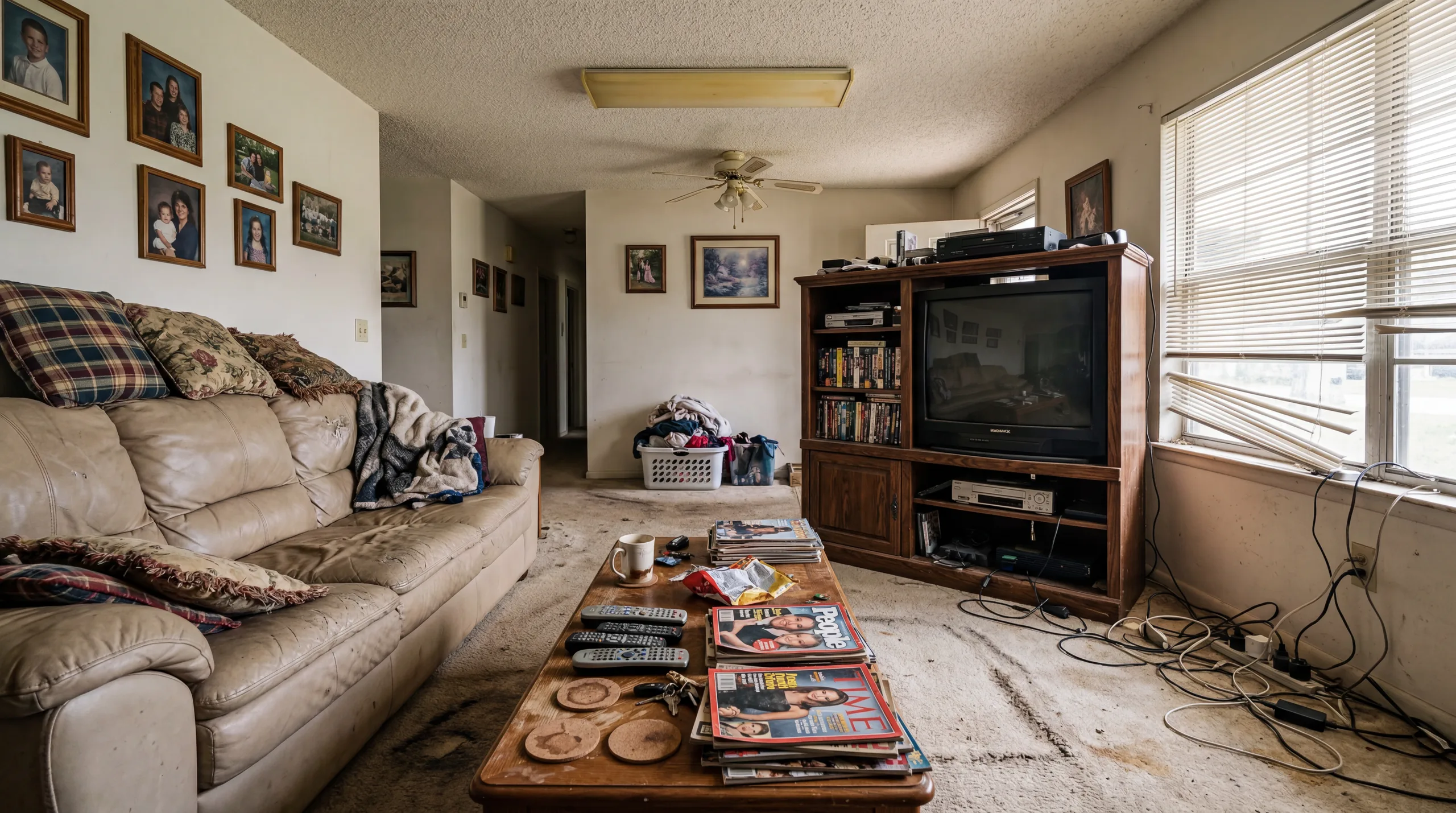 Before
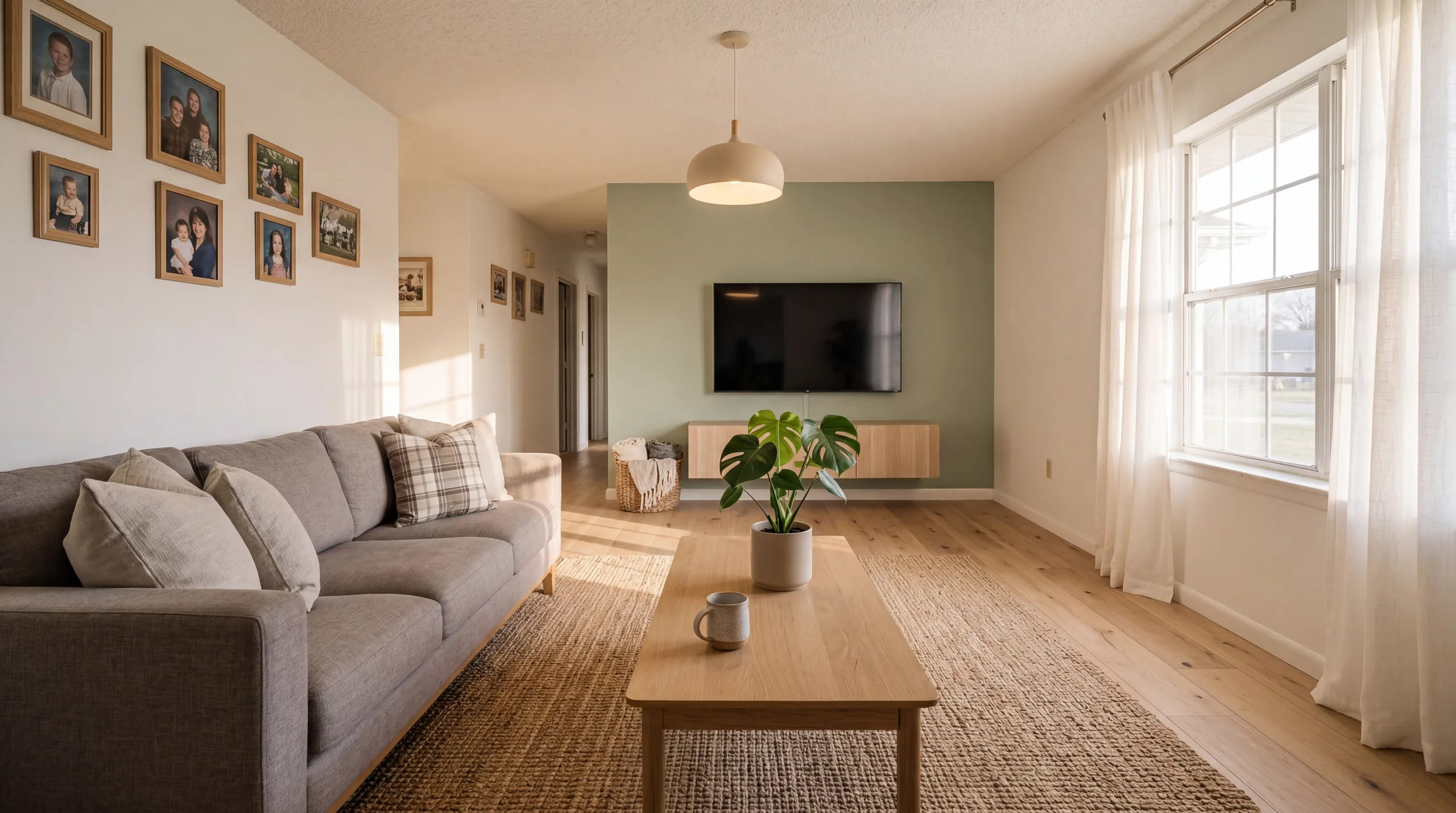 After
AfterTalk Track
"Use the staged version to evaluate furniture scale, traffic flow, and whether the room still matches the original layout."
Upload empty listing photos, create a staging proof, compare original and staged pairs, then export only the images you have reviewed for structure and disclosure.
Add listing photos for a staging proof
Choose photos first. Sign in only when you upload and review.
1-6
listing photos in a small proof set
1/3/5
credits per photo by quality
2
files to compare: original and staged
Review
before an image enters a listing workflow
Turn vacant-room photos into proof images that sellers and teams can review before publication.
Keep original and staged pairs together so client review does not become a file-naming mess.
Estimate credits by listing set, approve only usable images, and keep disclosure in the workflow.
Virtual staging digitally adds furniture, decor, and styling to listing photos. It is useful when the original room is empty, but the output should be reviewed against the original photo before it is used in any public listing.
AI virtual staging uses image-to-image generation to infer room perspective, lighting, and likely furniture placement. A good result can help a seller, buyer, or client understand how an empty room might function.
The tool is not a substitute for review. Doors, windows, built-ins, damage, floor direction, and visible views should be checked against the original photo before publication.
Start with a low-cost proof, then decide whether a Standard or HD export is worth using for the listing set.
Cost
Traditional staging can involve furniture rental, delivery, setup, and pickup. AI staging is lower-friction, but still needs review because it is a generated marketing visual.
Speed
Traditional staging requires scheduling, setup, and physical access. AI virtual staging is lower-friction for proofing, but output quality still depends on the source photo and review process.
Flexibility
Physical staging locks a room into one installed look. AI staging lets you compare several style directions from the same source photo before choosing what deserves a clean export.
Scalability
For teams with many vacant rooms, credit-based proofing is easier to estimate than arranging physical staging for every early listing draft.
Listing teams use virtual staging to make empty rooms easier to interpret. The responsible workflow keeps originals, staged proofs, disclosure text, and export decisions together.
Empty rooms are difficult to interpret from a thumbnail. Furniture gives scale, makes the use of the room clearer, and helps sellers and teams discuss a listing without staging furniture physically.
Generated staging should be presented honestly. A buyer should be able to compare the original photo and understand that furniture, decor, and styling were added digitally.
That is why the workflow should start with proof and review, not a blind download.
A typical small listing may need 3 to 8 candidate photos. Preview proofs use 1 credit per photo; Standard exports use 3; HD uses 5.
Instead of promising a fixed cost per property, the safer calculation is: photos selected x quality x expected retries.
Use the pricing page to choose between one-time credits and monthly credits based on how often you stage listings.
Different rooms require different staging approaches. Each room type has specific furniture requirements, style recommendations, and photography best practices for optimal virtual staging results.
Living rooms often become the main interior image in a listing set. Use Modern or Scandinavian proofs to test scale, seating layout, rug size, wall art, and whether the staged room still matches the original architecture.
Stage living rooms →Bedrooms need calm, believable scale. Use staging to test bed placement, nightstand spacing, lighting direction, and whether the room reads as restful without hiding windows or floor area.
Stage bedrooms →Kitchen staging should support the real finishes already in the photo. Add only believable countertop styling, stools, and lighting cues while preserving cabinets, counters, appliances, and backsplash.
Stage kitchens →Add towels, accessories, plants, and simple vanity styling to help the bathroom read clearly while preserving the real fixtures.
Stage bathrooms →Dining rooms need clear circulation and table scale. Use staging to test whether a table, chairs, lighting, and wall art fit the actual room instead of making it look larger than it is.
Stage dining rooms →See before-and-after pairs, then apply the same review checklist to your own photos: structure, scale, fixed features, visible defects, and disclosure.
View gallery →Create a staging proof, compare it with the original, then decide whether it belongs in a listing set.
Use clear, level photos with enough floor and wall visible. Keep the originals available for review and disclosure.
Pick a restrained style and start with a low-cost proof before spending credits on the full set.
Compare before and after, check structure and disclosure, then export only the images that pass review.
Compare the cost, speed, and quality of three approaches to staging properties for sale or rental.
$800 - $2,900
per property
$20 - $100
per image
1-5
credits per photo
Credit estimate for a small listing set
Estimate a project before buying: 6 listing photos x 3 Standard credits = 18 credits. Add room for proofing and retries when the result needs review.
See original and staged pairs, then use the same checklist on your own listing photos before publishing.
Transformation Stories
Real talk-tracks that listing agents, hosts, and consultants use to help someone picture a better life inside the same footprint.
Real Estate Agent
BeforeAfterTalk Track
"Use the staged version to evaluate furniture scale, traffic flow, and whether the room still matches the original layout."
Rental planning

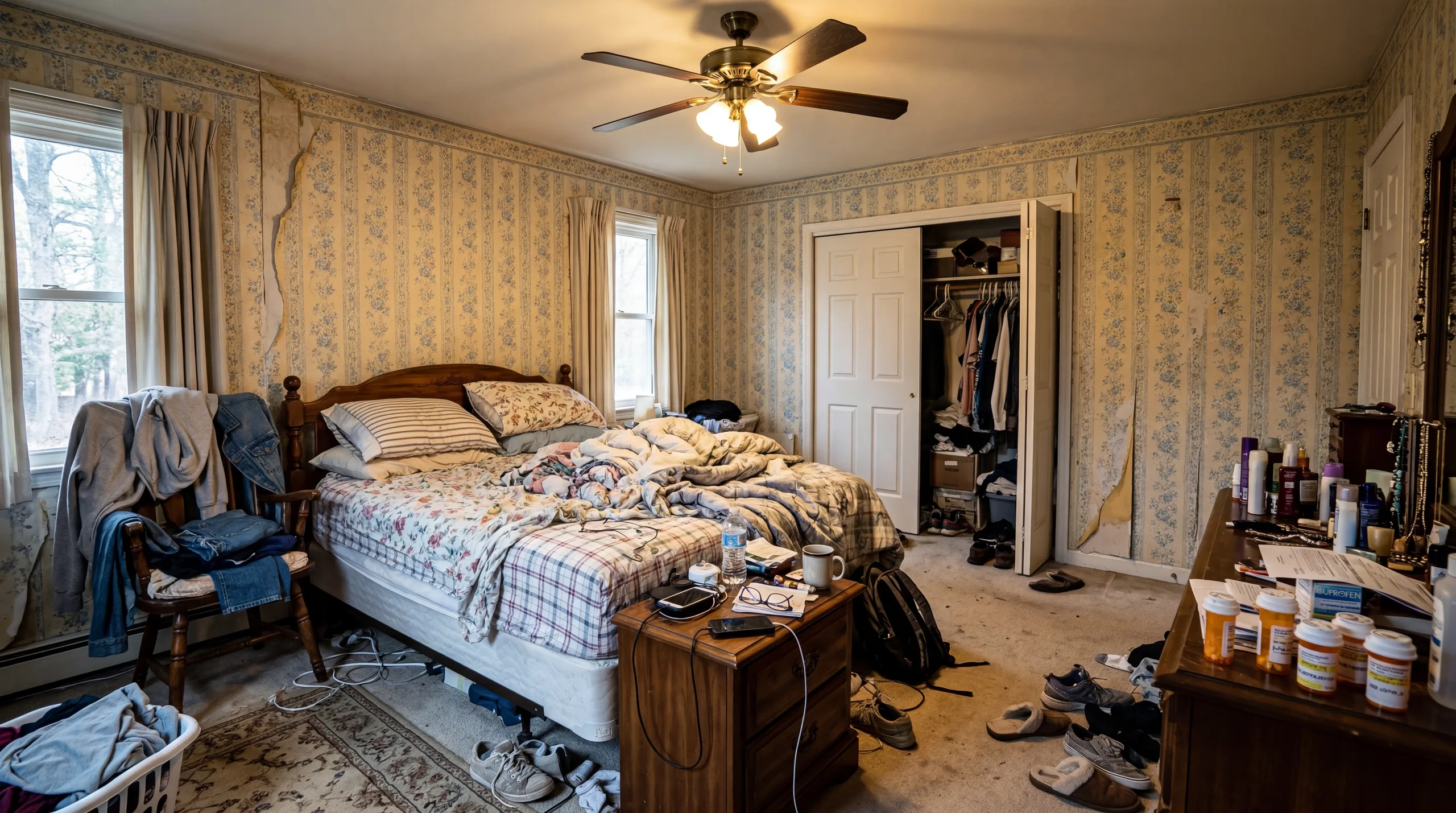 Before
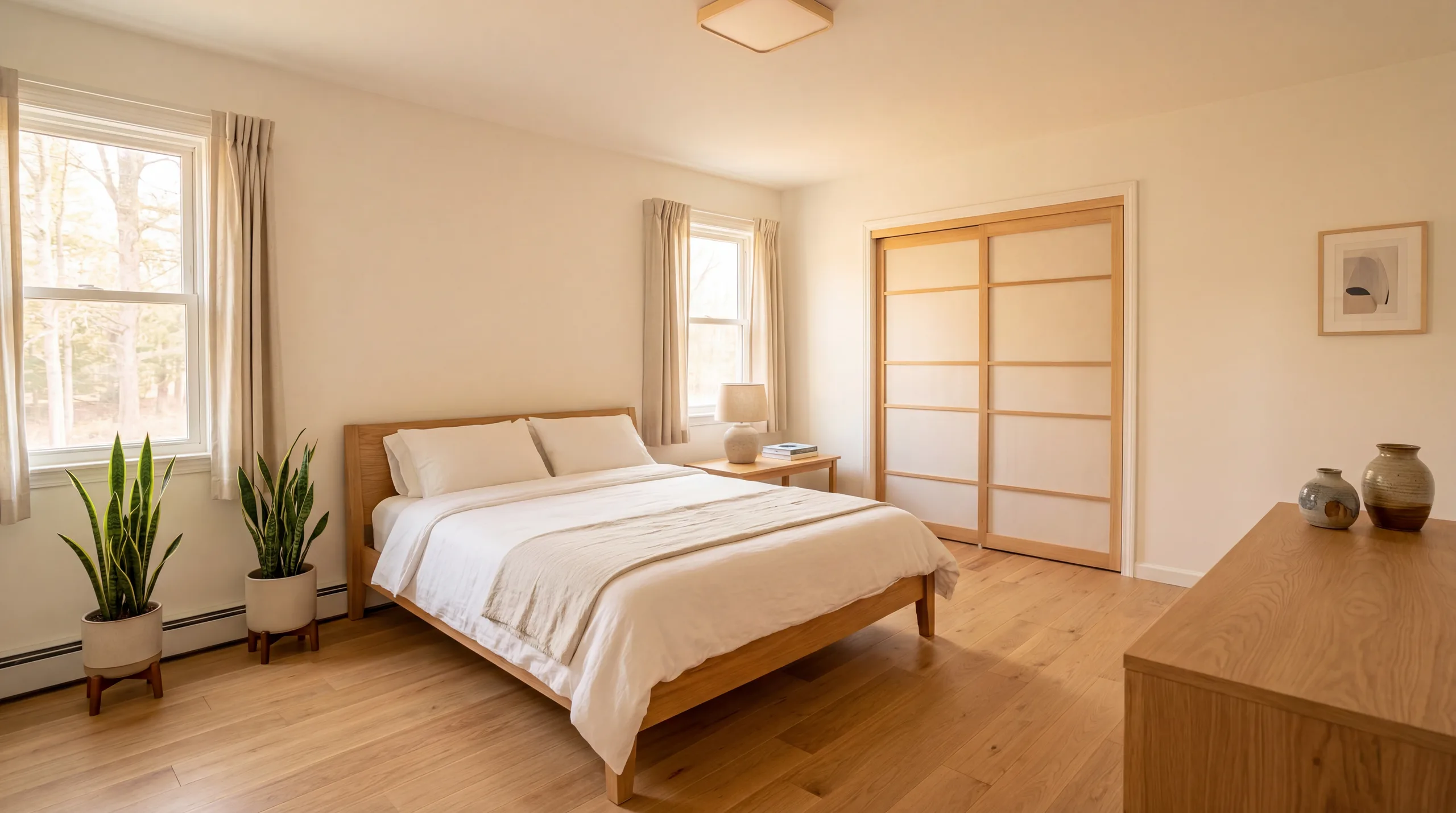 After
AfterTalk Track
"The staged version is useful as a furnishing direction. Use actual photos of the finished room for publication where platform rules require them."
Property Developer

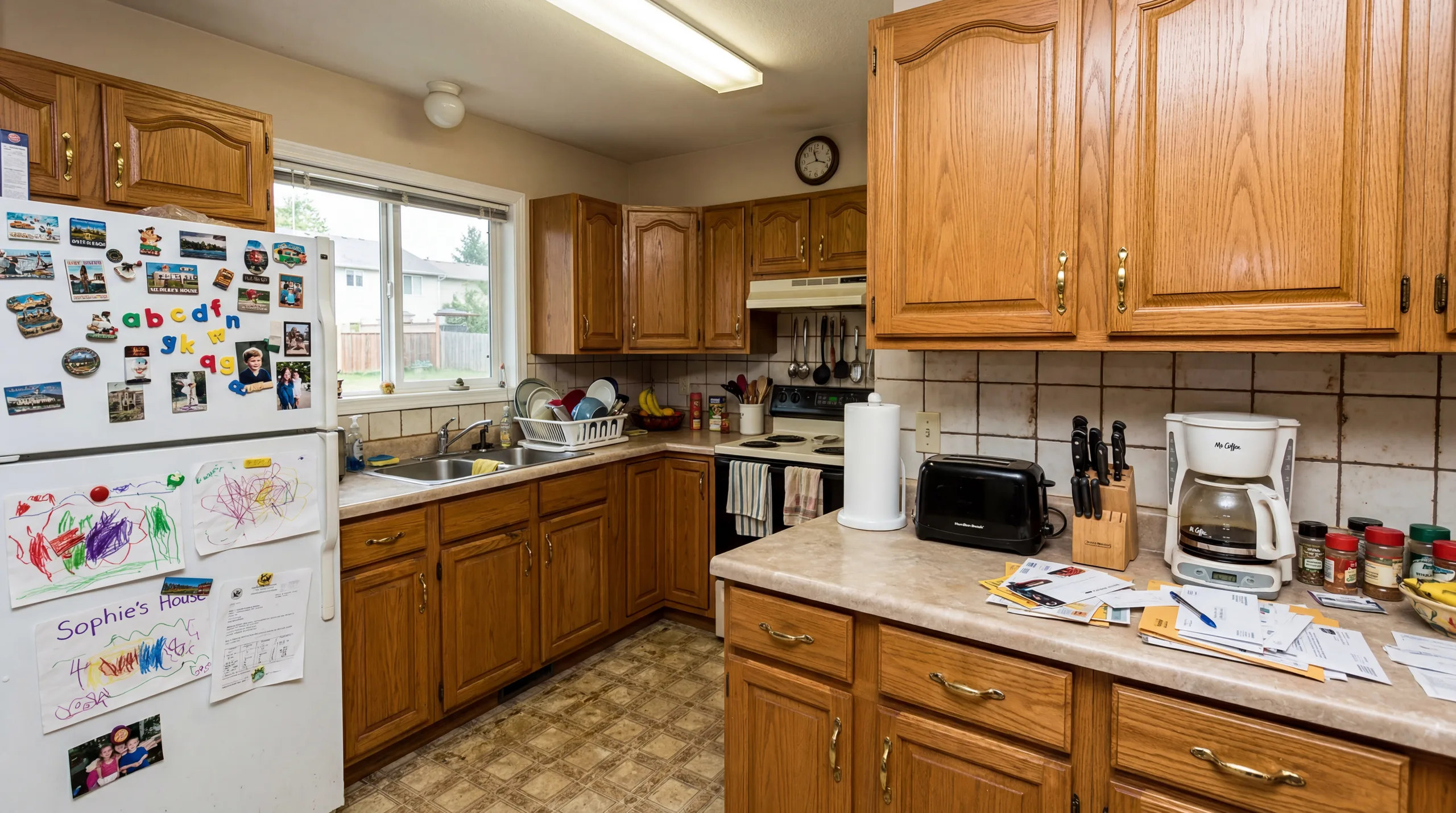 Before
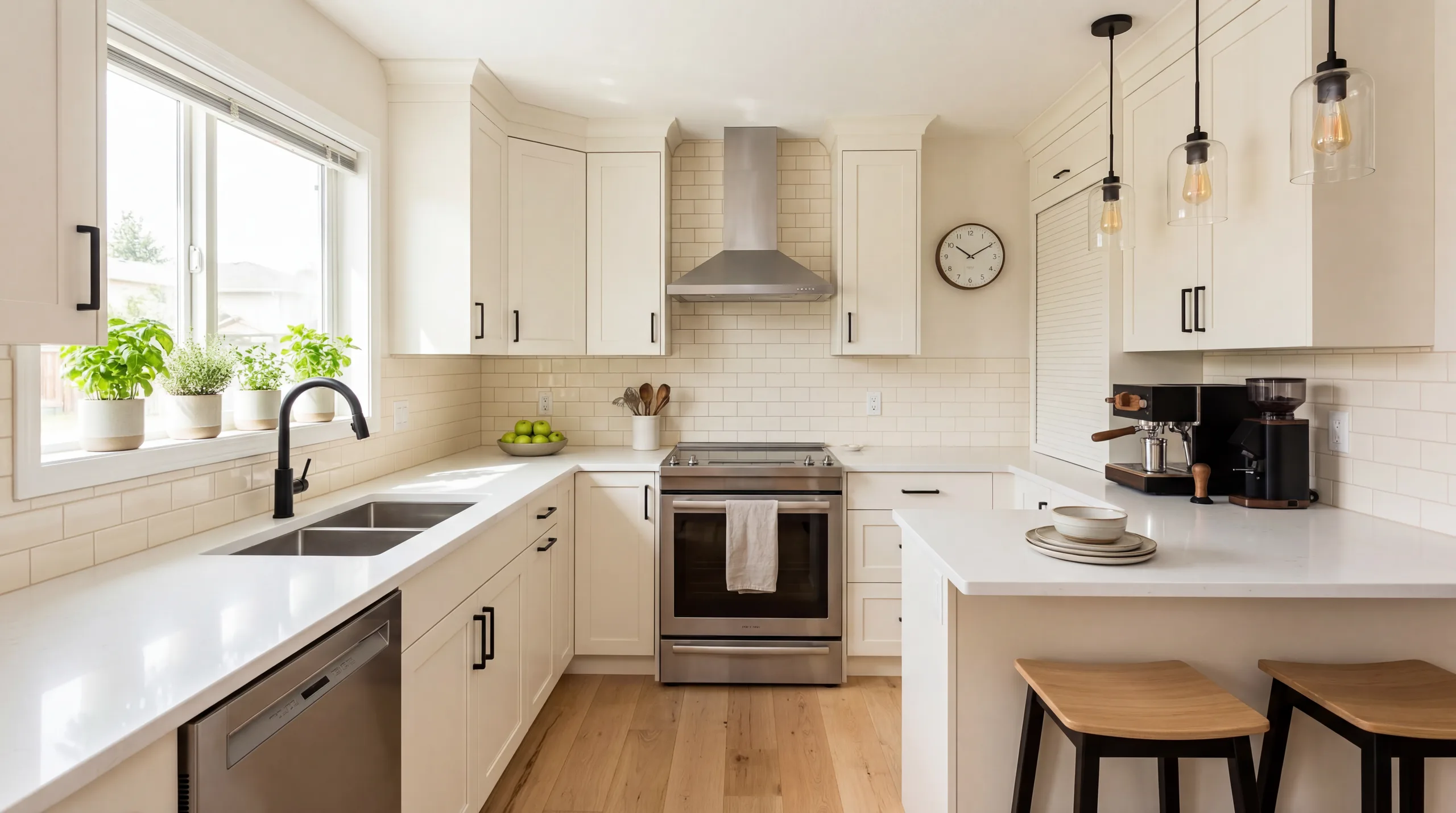 After
AfterTalk Track
"For pre-sale marketing, keep original images and disclose any staged or generated visual so buyers understand what is illustrative."
Choose a style that makes the real room easier to understand. A calmer proof is usually better for broad listings; a stronger style should still preserve scale, light, and fixed features.
Clean lines, neutral palette, and restrained furniture that keeps a proof easy to review
View style →Light woods, white walls, and organic textures for checking a calmer listing direction
View style →Warm wood, simple textiles, and softer decor for family-oriented listing proofs
View style →Metal accents, darker contrast, and loft-style furniture for urban property proofs
View style →Low-profile furniture, natural materials, and quiet spacing for calm review proofs
View style →Current furniture silhouettes and cleaner finishes for polished listing proofs
View style →Professional virtual staging in Mid-Century Modern design aesthetic
View style →Professional virtual staging in Minimalist design aesthetic
View style →Professional virtual staging in Bohemian design aesthetic
View style →Professional virtual staging in Coastal design aesthetic
View style →Professional virtual staging in Art Deco design aesthetic
View style →Professional virtual staging in Tropical design aesthetic
View style →Everything you need to know about AI virtual staging for real estate
AI virtual staging uses image generation to add furniture, decor, and styling to photos of empty or lightly furnished rooms. It is useful for listing proofs, client conversations, and planning a marketing set, but every result still needs human review before publication.
VirtualStagingAI uses credits. Preview proofs use 1 credit per photo, Standard exports use 3 credits per photo, and HD exports use 5 credits per photo. A small listing with 6 photos usually needs 18 to 30 credits depending on quality and retries.
Virtual staging helps buyers understand room scale, furniture layout, and potential use. It should be treated as a marketing visual that supports a listing, not as a promise about selling speed, price, or buyer response.
Often, but rules vary by MLS, brokerage, state, and publishing platform. Keep original photos available, disclose that images are virtually staged, and review local requirements before publication.
Good inputs can produce useful staged proofs, especially when the room is bright, level, and uncluttered. You should still compare original and staged images for doors, windows, built-ins, flooring, defects, and scale before using the output.
VirtualStagingAI works best with clear indoor room photos such as living rooms, bedrooms, kitchens, bathrooms, dining rooms, and home offices. For best results, photograph empty or lightly furnished rooms from a corner or doorway with good natural lighting.
Most proof generations are designed to run quickly, but timing depends on image size, model load, and retry needs. Treat the result as a reviewable proof first, then export only when the room structure, scale, and disclosure needs look right.
VirtualStagingAI offers 12 staging directions: Modern, Scandinavian, Farmhouse, Industrial, Japanese, Contemporary, Mid-Century Modern, Minimalist, Bohemian, Coastal, Art Deco, and Tropical. Each style should be chosen based on the source photo, room type, and review needs.
No design background is required to create a first proof. You still need judgment before publication: compare the original and staged images, check fixed features and furniture scale, and choose a calmer style if the result feels overdesigned.
Use virtual staging for rental planning, furniture direction, and pre-purchase visual review. For public listing photos, check platform rules and guest expectations, then photograph the real furnished space when actual-room imagery is required.
Upload empty listing photos, create a proof, review the original and staged pair, then decide whether to export with credits.
Start Virtual Staging FreeFor Realtors · Rental planning · Software Features · New Construction · Luxury Staging
Explore related pages
The staging cluster now separates software, realtor, free, and comparison intents.
AI virtual staging is a planning and listing-proof workflow. Keep the original photo, compare the staged result against the real room, and disclose generated furniture or decor according to your brokerage, MLS, portal, or rental-platform rules.
Strong inputs matter more than dramatic prompts. Use level, well-lit photos with visible floor, walls, doors, windows, fixed features, and enough room shape for the model to understand scale.
Empty or lightly furnished rooms where buyers need help understanding scale, layout, and possible furniture direction.
Bathrooms, mirrors, kitchens, luxury finishes, and rental listings need closer review because small inaccuracies can change buyer or guest expectations.
Dark, cluttered, distorted, damaged, or misleading photos where a generated result would make the property look materially different from reality.